





FAQs
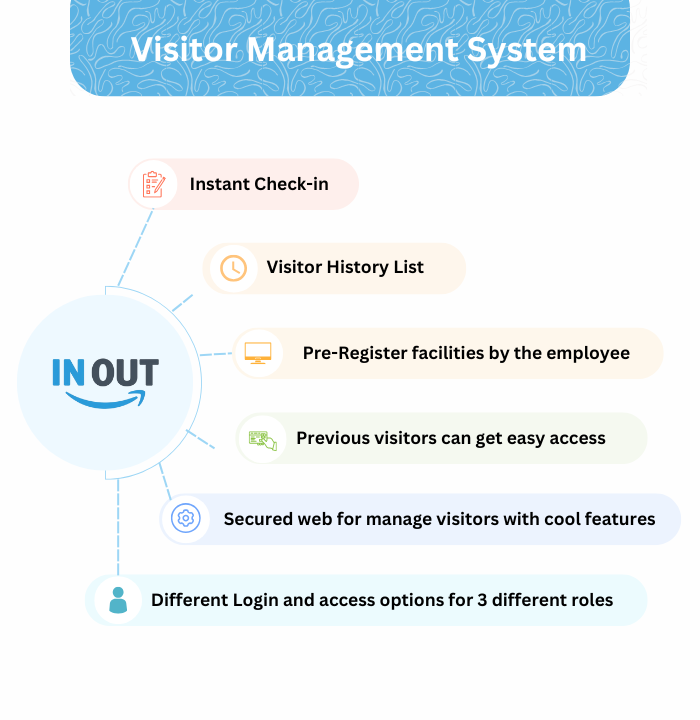
InOut is a digital platform that simplifies and secures how your organization manages visitors on-site. It replaces the paper sign-in book with a system that tracks visitor information, keeps you compliant with your safety protocols, and gives your hosts real-time updates the moment their guest arrives.
It's built for anyone visiting your premises — clients, vendors, contractors, interview candidates, and personal guests — and is designed to be simple enough that a visitor with no prior training can check themselves in.
Key features include:
- Digital visitor registration
- QR code-based check-ins
- Visitor badge printing
- Pre-registration for scheduled appointments
- Real-time visitor tracking and notifications to hosts
- Visitor photo capture for enhanced security and seamless identification.
- Multi-language support to help international visitors.
The system automatically notifies the host — the person or department the visitor is there to see — typically by email or SMS. That notification includes the visitor's name, check-in time, and reason for the visit, so the host knows immediately that their guest has arrived.
The visitor also receives a printed badge, which they wear for the duration of their visit so your team can identify them as an authorized guest at a glance.
Yes. Visitor details are securely stored and used only for managing that visit — we don't collect anything beyond what's needed, which typically includes:
- The visitor's name and contact details (to identify and communicate with them)
- The purpose of the visit
- The host's name (to notify them of the arrival)
- ID details or a photo, if required for your security policy
Visitor data is also deleted after a set retention period rather than kept indefinitely.
Access is limited to your authorized personnel, such as:
- The host the visitor is there to see
- Security staff or receptionists responsible for visitor management
- System administrators who maintain the platform
No unauthorized individuals or external parties can access visitor data.
Visitors can check out from the system using two convenient methods:
- From the Visitor List:
- Authorized personnel can open the list of currently checked-in visitors in the system.
- Click the "Check Out" option next to their details.
- Using the Checkout Option on the Landing Page:
- By Visitor ID: Enter the unique Visitor ID provided during check-in.
- By Scanning the QR Code: Use the QR code received during check-in to complete the process quickly and contactlessly.
Yes — the system is designed to make check-ins faster for repeat visitors by offering multiple ways to retrieve and prefill their information:
- Past Visitor List on Landing Page:
- The system displays a list of past visitors directly on the landing page.
- A returning visitor can select their name from the list, and their details fill in automatically.
- Mobile Number-Based Autofill:
- During check-in, the system prompts for the visitor's mobile number.
- If the mobile number is already in the system, their information is fetched and autofilled automatically.
- QR Code Scan:
- On the landing page, visitors can scan their unique QR code received during a previous visit.
- The system retrieves the visitor's information and autofills the check-in form instantly.
These features save time and enhance the user experience, ensuring smooth and efficient check-ins for frequent visitors.
Yes, the visitor history is updated in real time. As soon as a visitor checks in or out, the system logs their details instantly. This ensures that the records are always accurate and up-to-date, providing reliable data for security, reporting, and operational purposes.
Yes. For group visits, the organizer can pre-register the entire group in advance, making check-in faster for everyone on arrival.
We recommend it — checking out keeps your visitor records accurate and supports your site's safety and evacuation procedures, since you'll always know who's currently on-site.
Only your authorized personnel with the necessary permissions can view the employee list. This keeps sensitive information visible only to those who need it for management purposes.
Only your organization's authorized administrators can manage user accounts — viewing the user list, adding new users, assigning roles based on responsibilities, and removing users when needed. This keeps access to the system properly controlled.
Only your authorized personnel with report access can download them. There are three types of reports available:
- Visitor Report
- Pre-Registration Report
- Attendance Report
Authorized users can download reports for specific date ranges by selecting the desired "From" and "To" dates, allowing them to generate reports for any particular time period.


Our Plans
1 Month Trial
Free
Access to Basic Plan features
1 month free trial
Advance
Rs.29,500/year
All features and add-ons
Save on annual subscription
Core Feature
Our website offers a comprehensive visitor pass management system with essential features like admin and employee dashboards, employee and visitor management, and multi-language with RTL support, ensuring seamless access control and user adaptability.
Visitor Pass System
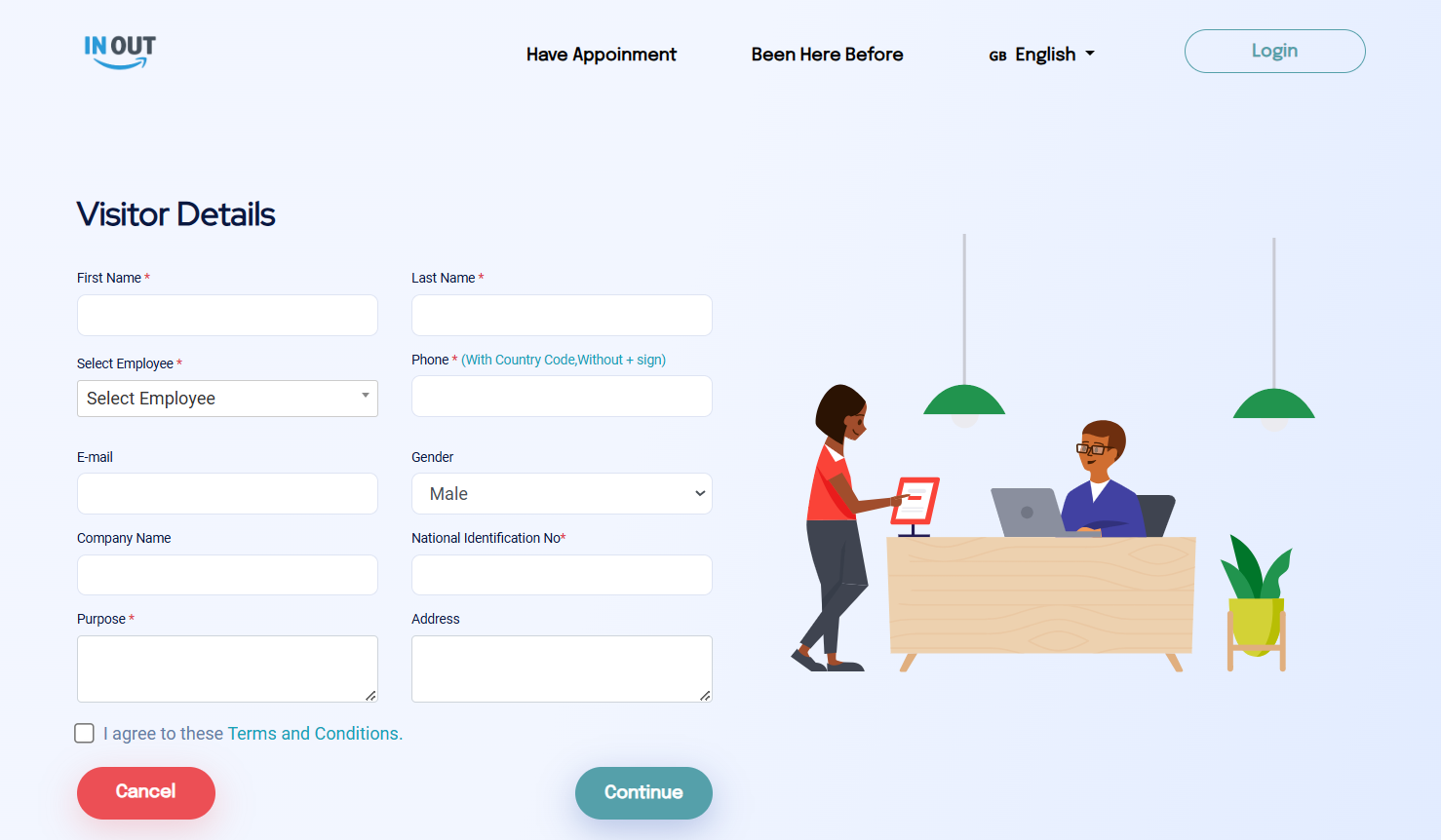
The visitor pass system streamlines visitor information collection by capturing essential details such as name, email, purpose of visit. This initial process ensures all visitors are registered efficiently.
Once details are entered, the system generates a visitor pass, storing information securely while providing quick access for review. The pass can be printed or accessed digitally, reducing paperwork and saving time for both visitors and staff.
With each pass, security and convenience are prioritized, as all necessary information is immediately available on the pass. This system promotes efficient entry management and enhances the visitor experience.
Admin & Employee Dashboard
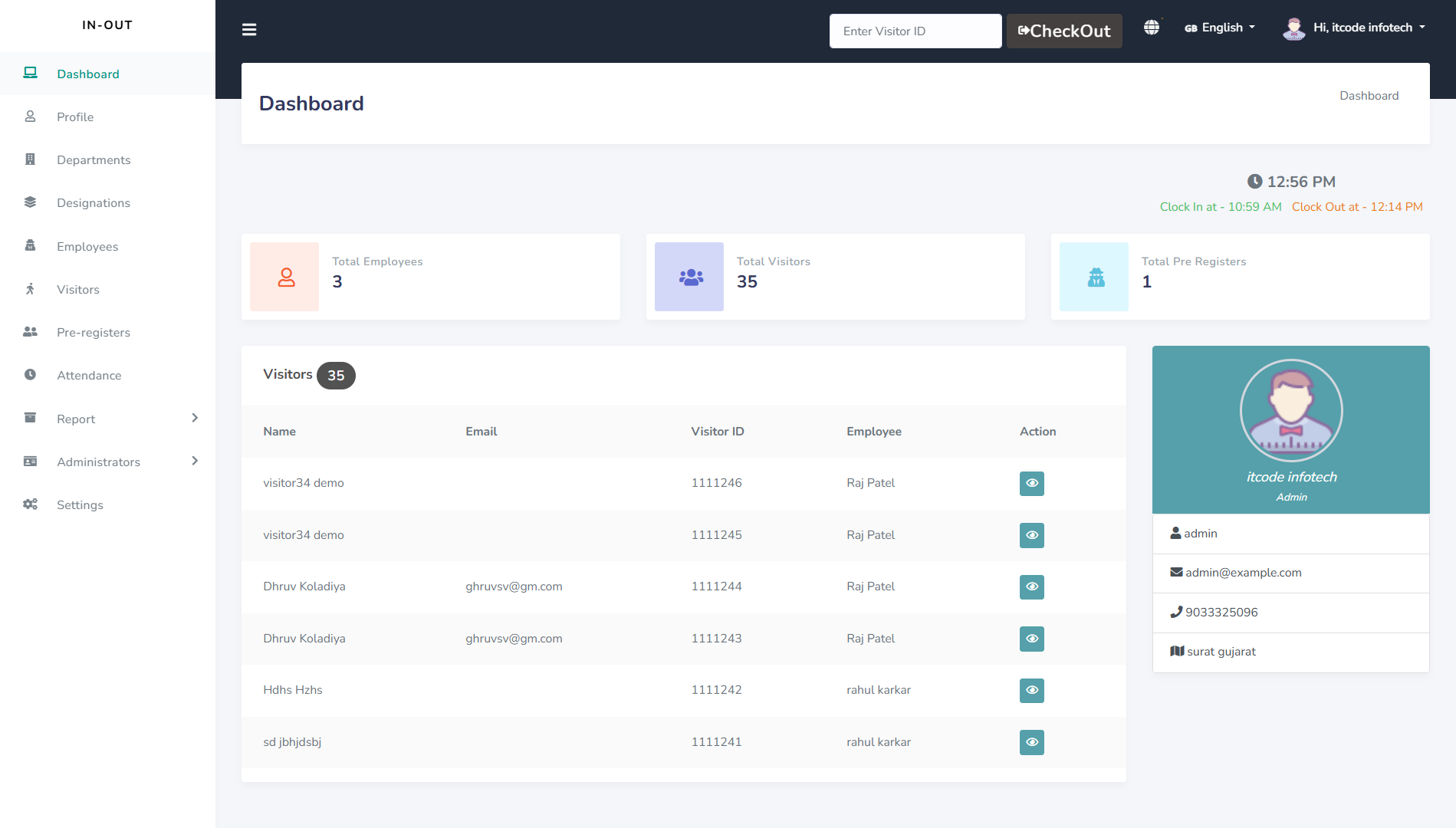
The admin and employee dashboards provide a clear view of work location status, displaying whether an employee is working from the office or remotely. This allows for easy tracking and coordination of on-site and remote teams.
Employees can monitor the number of visitors scheduled for them, helping them prepare in advance. Additionally, a real-time timer tracks work hours, ensuring accountability and streamlined time management.
The dashboard also includes a pre-registration feature, enabling employees to register expected visitors ahead of time. This feature enhances visitor management efficiency and ensures smooth interactions with scheduled guests.
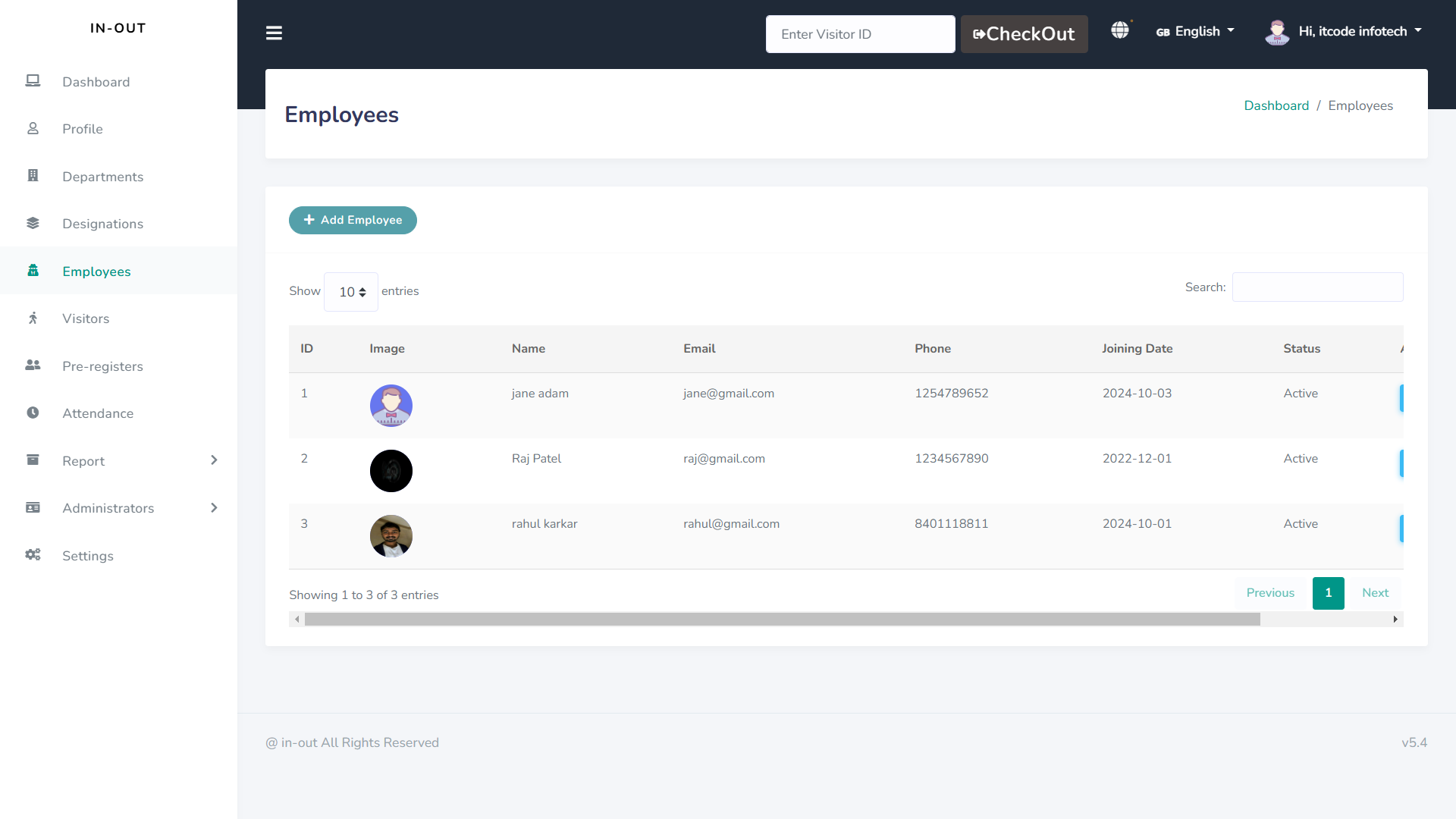
Employee Management
The employee management feature allows admins to track and manage employee records, including personal details and role-based access levels. This centralized approach enhances organization and data accuracy.
Admins can assign specific roles and permissions to each employee, ensuring they access only the necessary features. This role-based access boosts security and operational control within the system.
Additionally, employees can update their profiles, manage work hours, and check attendance records. This empowers employees to oversee their own data while reducing admin workload.
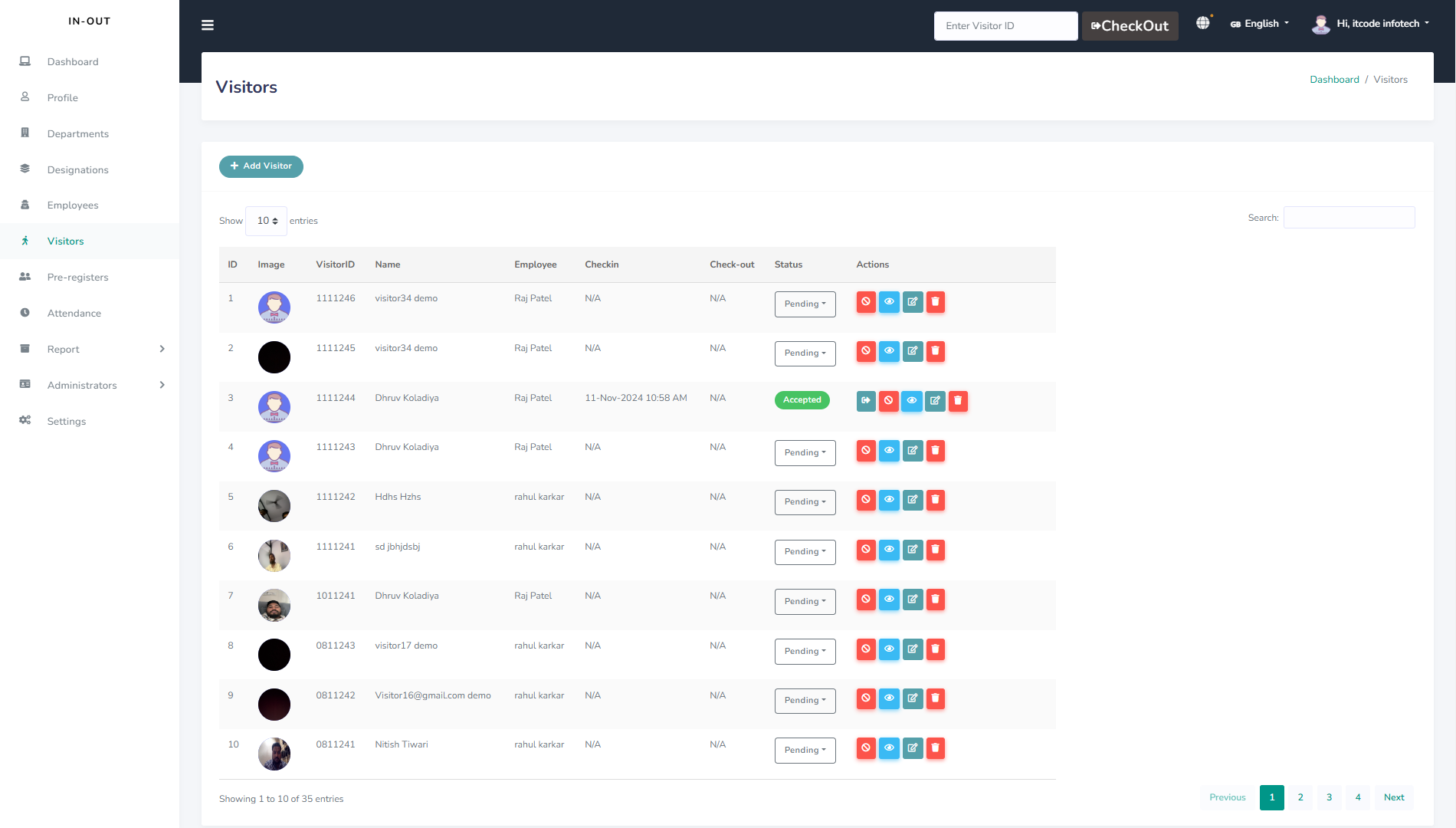
Visitor Management
The visitor management feature enables admins to log and monitor all visitor details, including names, visit purposes, and contact information. This creates a secure, organized record of every visitor.
Admins can also track visitor check-in and check-out times, offering real-time data on visitor flow. This feature supports efficient monitoring and enhances security on the premises.
Visitors can be pre-registered by employees, streamlining the check-in process. This saves time and ensures a seamless experience for both visitors and staff.
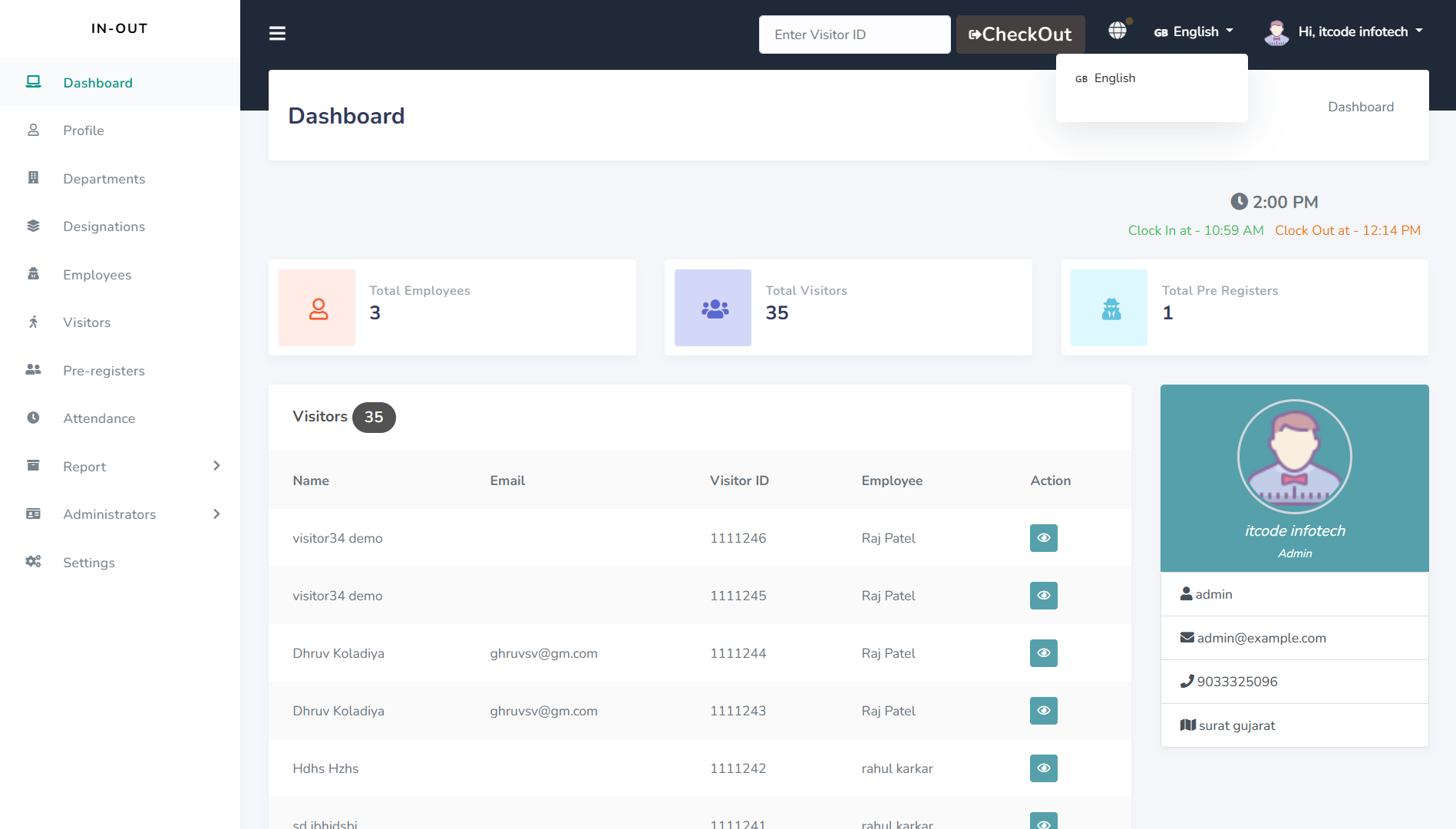
Multi-Language & RTL supported
The multi-language and RTL support feature allows each user—admin, employee, and receptionist—to access the platform in their preferred language. This ensures inclusivity and ease of use for all roles.
Admins can manage language settings globally, making the system adaptable for a diverse user base. RTL support is available, ensuring a smooth experience for languages that read from right to left.
Employees and receptionists can select their preferred language for their interface, enhancing accessibility. This feature simplifies communication across roles, promoting efficiency in a multilingual environment.
QuickPass Front-end
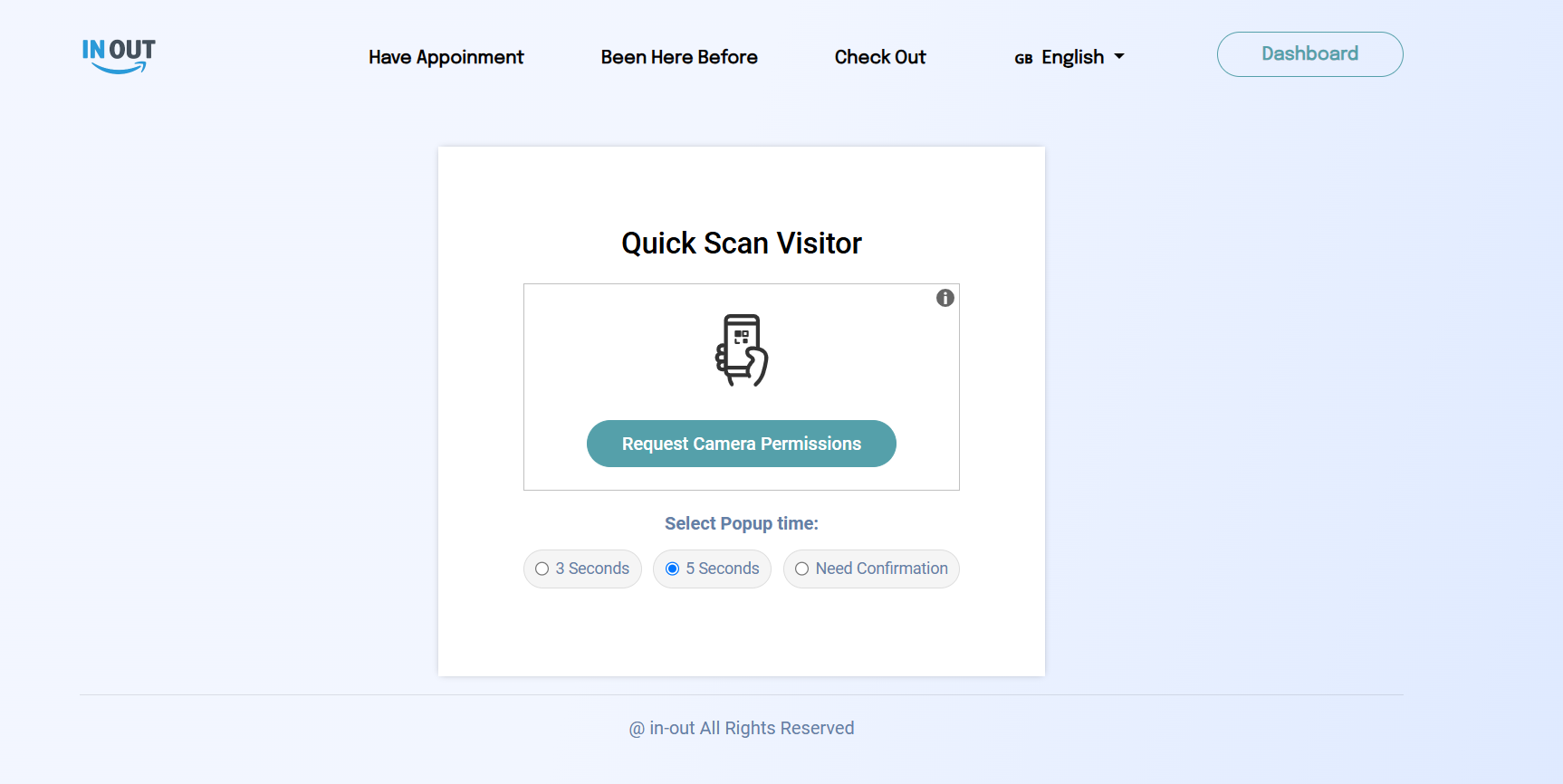
The front end of our website is designed around a seamless QuickPass experience, enabling fast visitor check-in with essential info entry, photo capture, and ID verification. Integrated WhatsApp messaging provides instant check-in confirmations, while unique QR codes streamline re-entry and enhance security. This setup ensures an efficient, user-friendly visitor management system.
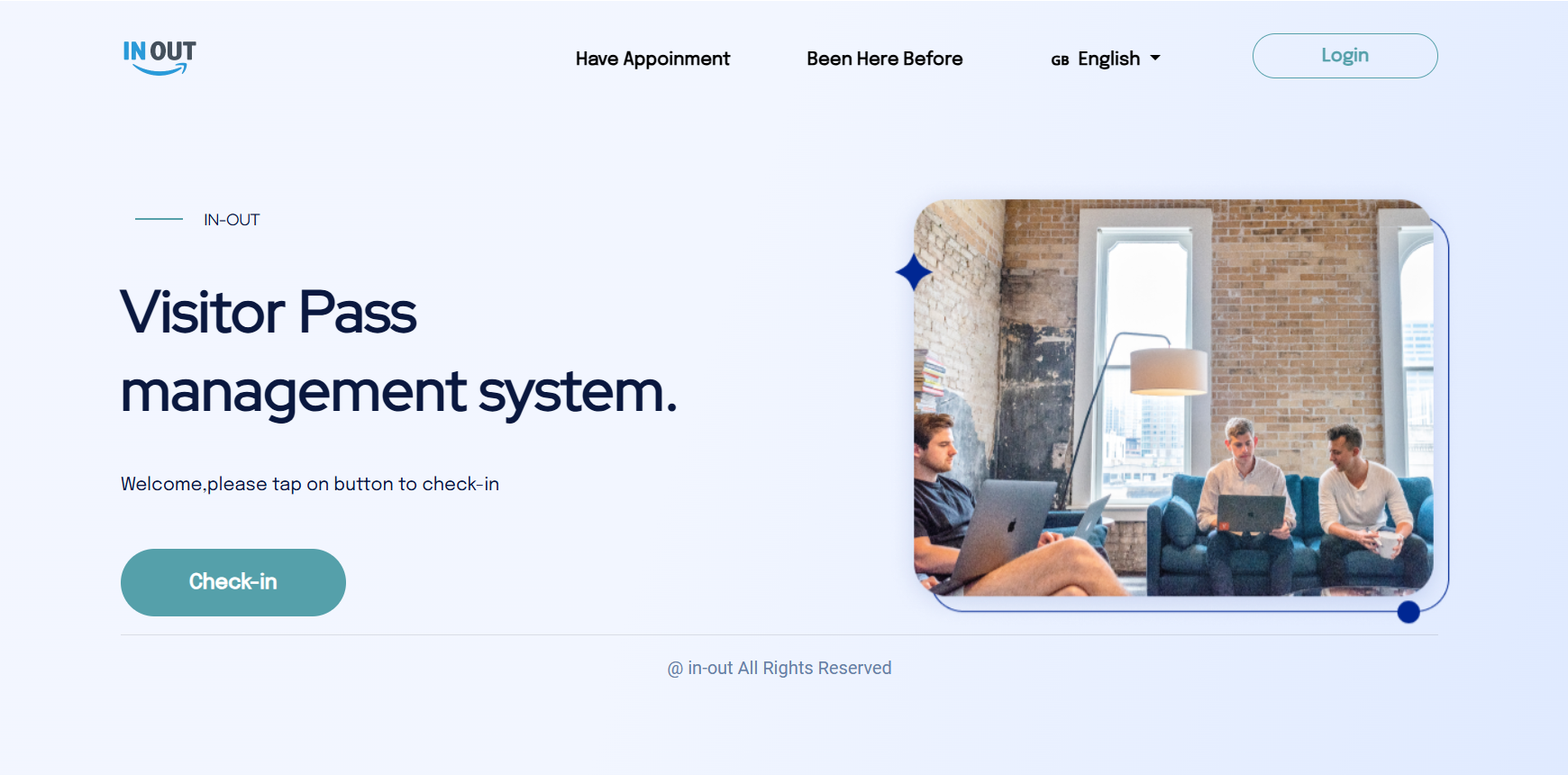
Check in Page
The check-in page is designed for quick data entry, allowing visitors to fill in essential details such as name, contact information, and purpose of visit. This layout speeds up the check-in process significantly.
It also includes fields for capturing visitor photos and ID verification directly on the page. These features provide a complete security overview and ensure accurate identity tracking.
A generated QR code appears on the page, which visitors can use for re-entry or identification. This QR code enhances both security and convenience for returning visitors.
WhatsApp Messaging & QR Code
The WhatsApp messaging feature sends visitors instant check-in confirmations, providing clear instructions on entry protocols. This direct communication improves visitor engagement and ensures they are informed throughout their visit.
Visitors receive QR codes through WhatsApp, which they can use for quick re-entry, minimizing check-in time. This digital pass simplifies the process and reduces the need for physical paperwork.
The QR code is unique to each visitor, linking back to their registered details for secure identification. This feature enhances security by ensuring only verified individuals access the premises.
Take Visitor Photo
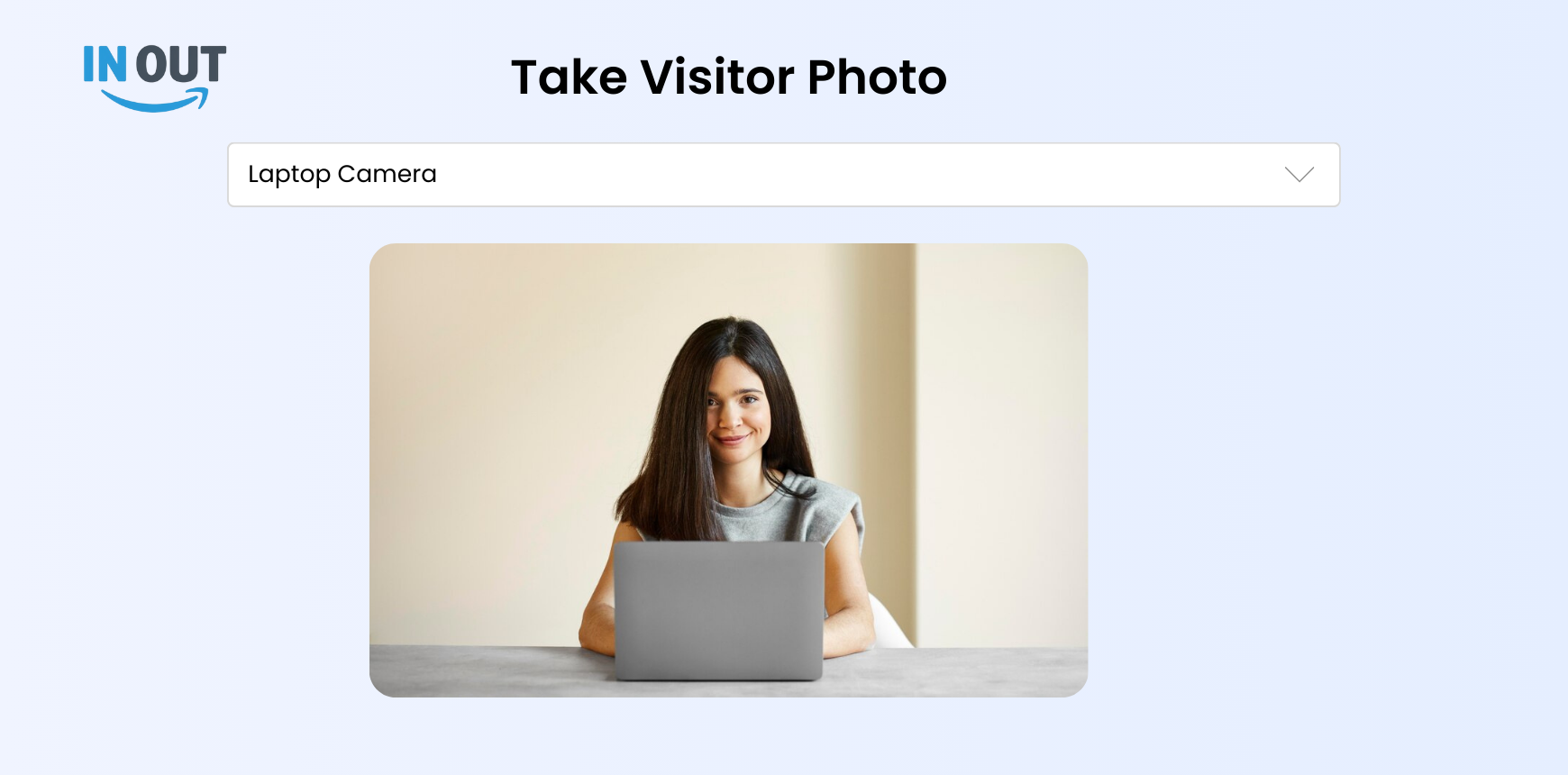
The visitor photo feature captures each visitor's image during check-in, providing a visual record for security. This quick photo capture ensures accurate identification and enhances safety measures.
Photos are stored with visitor information, allowing admins to easily review past check-ins if needed. This organized storage aids in both record-keeping and efficient visitor management.
The feature also makes re-entry smoother, as security can verify visitors visually. This adds an extra layer of verification, complementing QR codes and ID checks.
Print Visitor ID
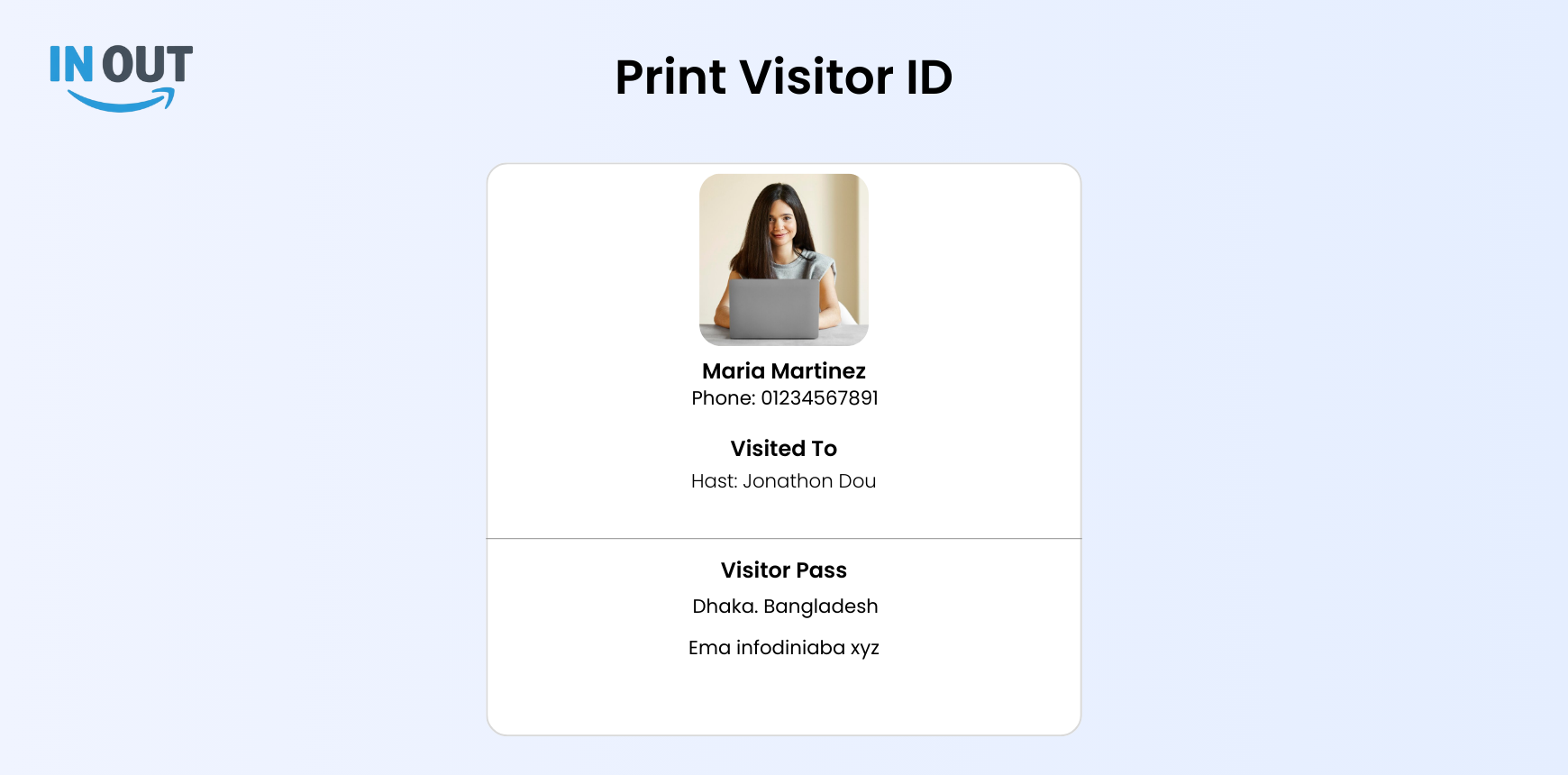
The visitor ID printing feature generates a physical pass with essential visitor details, such as name, photo, and visit purpose. This ID serves as a quick reference for both visitors and security staff.
Each printed ID includes a unique QR code for efficient re-entry, enhancing both security and convenience. This minimizes the need for repeat check-in steps on subsequent visits.
The ID pass also displays the check-in and expiry times, helping to manage visitor access duration. This feature supports controlled, timed access to the premises.
Key Feature
The website includes a comprehensive dashboard, offering an at-a-glance view of visitor stats, employee activity, and system performance. The profile section allows users to manage personal information, preferences, and access settings easily. The department feature organizes employees by department, streamlining visitor assignments and internal coordination. The visitor section efficiently handles visitor data, from registration to ID generation, ensuring a secure and seamless check-in process.
Dashboard
The dashboard provides admins with an overview of all visitor and employee activities, including check-in status and visitor flow. This centralized view allows for quick insights and efficient management across the premises.
For employees, the dashboard displays their daily visitor appointments and check-in times, helping them stay organized and prepared. They can also view their work location status, whether in-office or remote.
Receptionists use the dashboard to monitor visitor arrivals and confirm check-ins. This streamlined view helps them manage visitor traffic and coordinate with employees for smooth entry management.
Profile
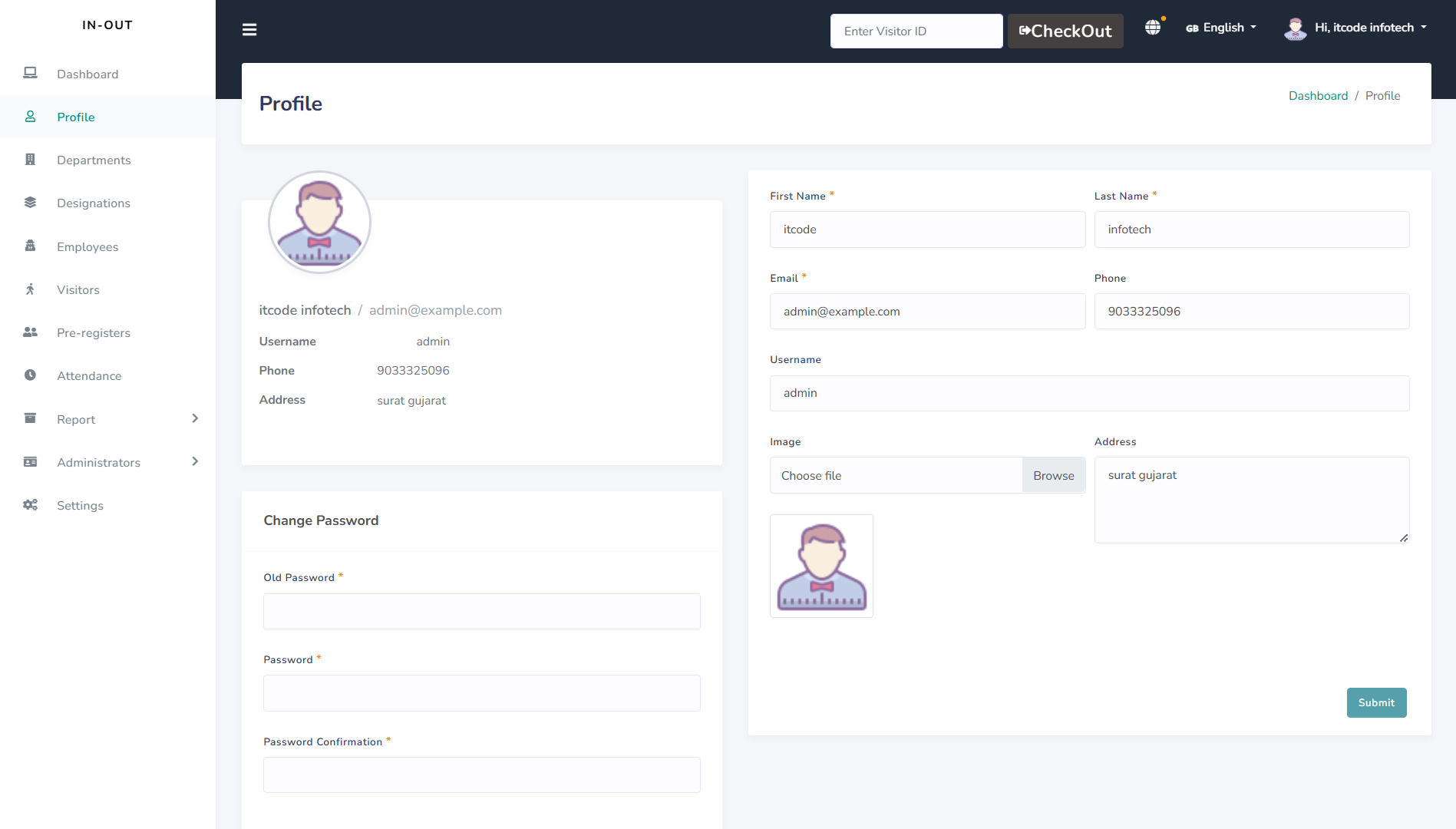
The profile section allows each user—admin, employee, and receptionist—to manage personal information, such as contact details and profile photo. This ensures that all information remains accurate and up-to-date.
Admins can update roles and access permissions within profiles, tailoring access based on responsibilities. This feature enhances security and aligns access with individual duties.
Employees and receptionists can also customize their profile settings, such as language preference and notification options. This personalization improves user experience and adapts the interface to each user's needs.
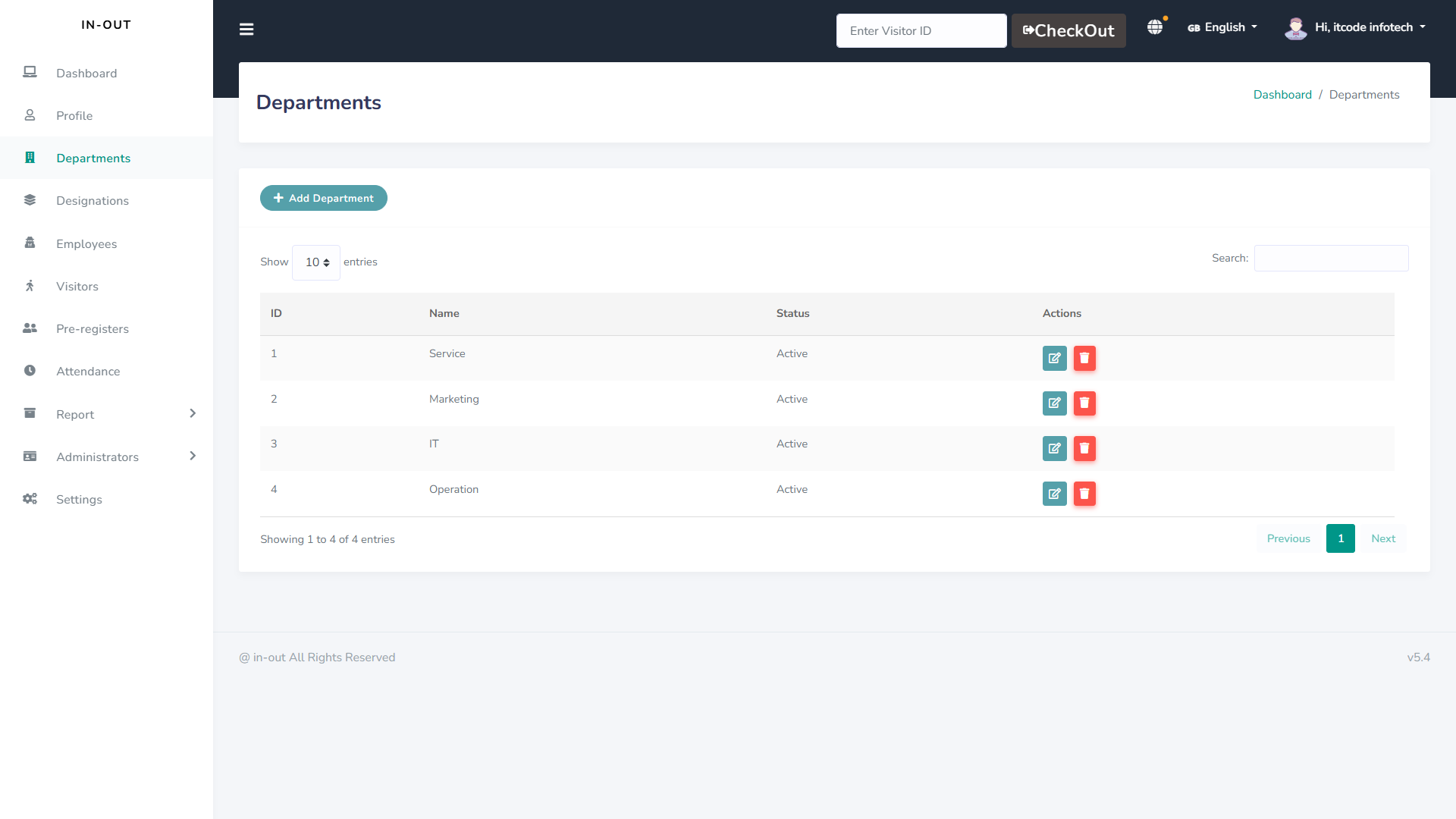
Departments
The department feature organizes employees by their respective departments, making it easy to assign visitors and manage interactions. This structured setup enhances internal organization and visitor routing.
Admins can create, update, or remove departments, ensuring that the system reflects current organizational structure.This flexibility helps keep the system aligned with any changes in the company.
Employees and receptionists can view department information to identify colleagues and assist visitors effectively. This clarity promotes smoother communication and visitor handling across departments.
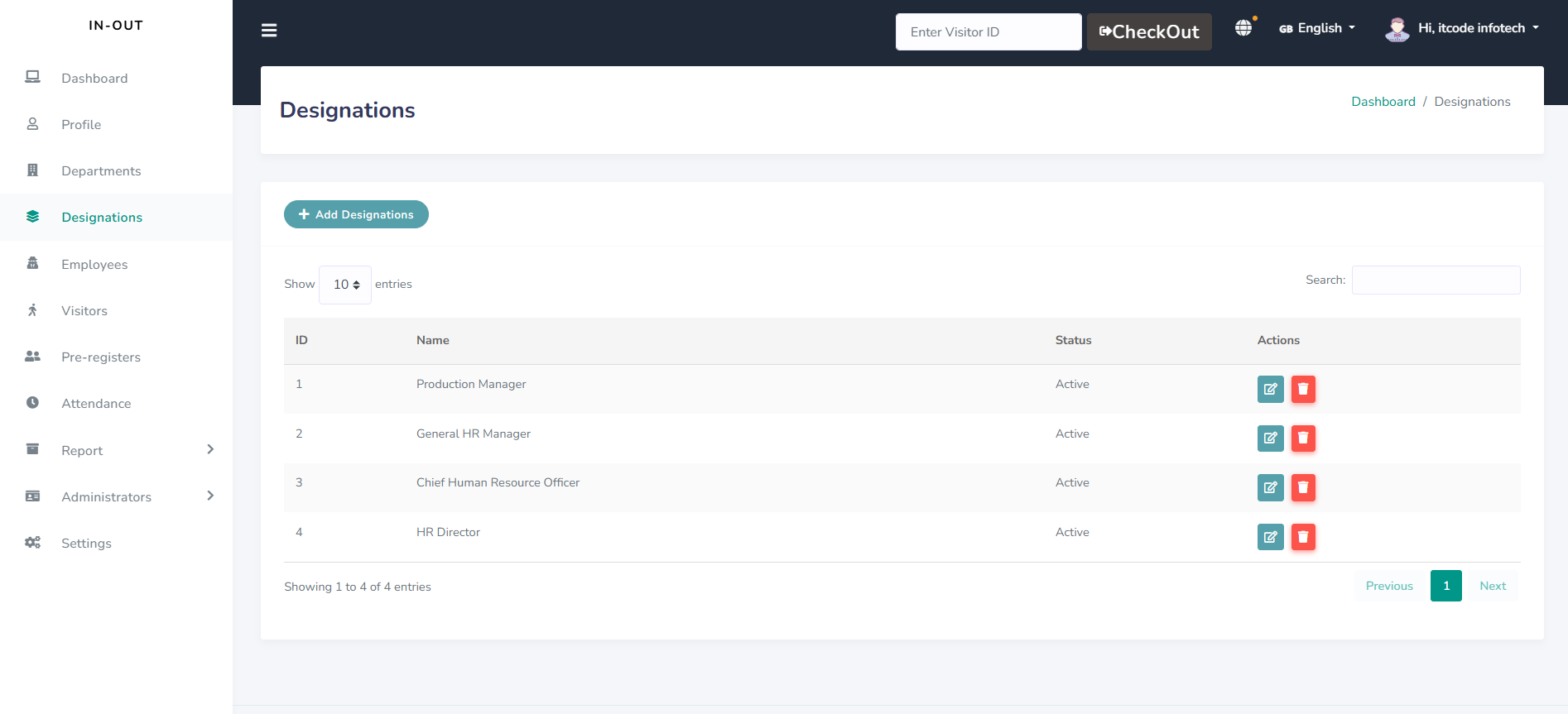
Designations
The designation feature categorizes employees by their roles, such as manager, executive, or assistant, to clarify responsibilities within the system. This setup ensures each employee’s role is accurately represented.
Admins can assign or update designations, enabling specific access levels based on an employee’s role. This role-based access improves security and operational efficiency.
Employees can view designations within the platform, helping them identify colleagues’ roles and collaborate more effectively. This feature supports clear communication and teamwork across different levels.
Employees
The employee feature maintains detailed records of each staff member, including contact information and assigned department. This centralized database helps admins manage the workforce efficiently.
Admins can assign roles, departments, and designations, ensuring each employee has appropriate access and responsibilities. This structured approach enhances security and organization within the platform.
Employees can update their own profiles, view assigned visitors, and check their work schedules. This empowers employees to manage their information while supporting smooth daily operations.
Vistors
The visitor feature records essential details like name,contact information, and purpose of visit, ensuring accurate visitor tracking. This data provides a complete record of each visitor's entry.
Admins and receptionists can manage visitor check-in and check-out times, improving oversight and security. Real-time tracking allows quick access to visitor status and movement.
Visitors are issued unique IDs with QR codes, simplifying re-entry and verification. This feature enhances both security and convenience for all guests and staff.
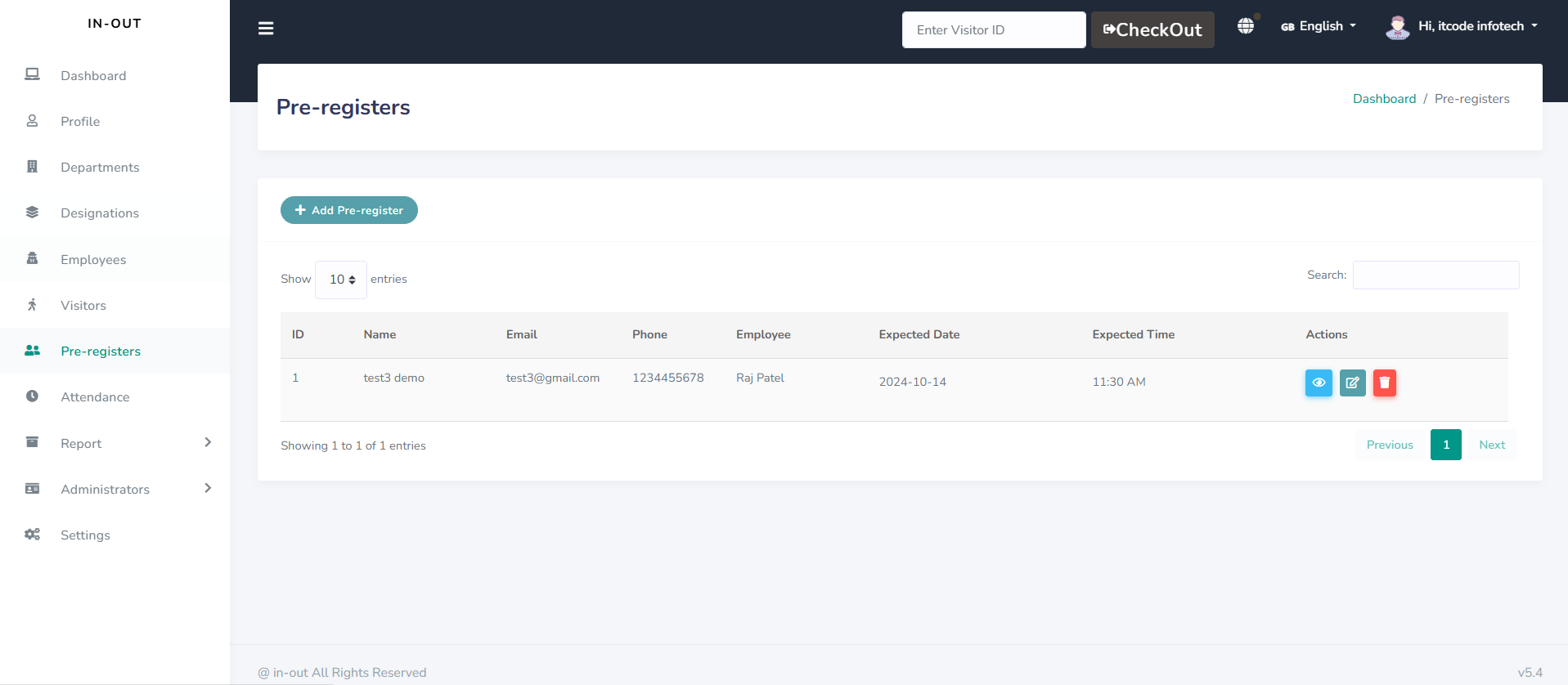
Pre-registers
The pre-register feature allows employees to schedule visitor appointments in advance, capturing details like name, contact, and visit purpose. This prepares the system for smooth visitor check-ins.
Admins and receptionists can view upcoming pre-registered visitors, helping them anticipate visitor traffic. This proactive approach reduces wait times and enhances visitor flow management.
Upon arrival, pre-registered visitors can quickly check in with minimal data entry, as their information is already in the system. This feature improves efficiency and offers a seamless experience for guests.
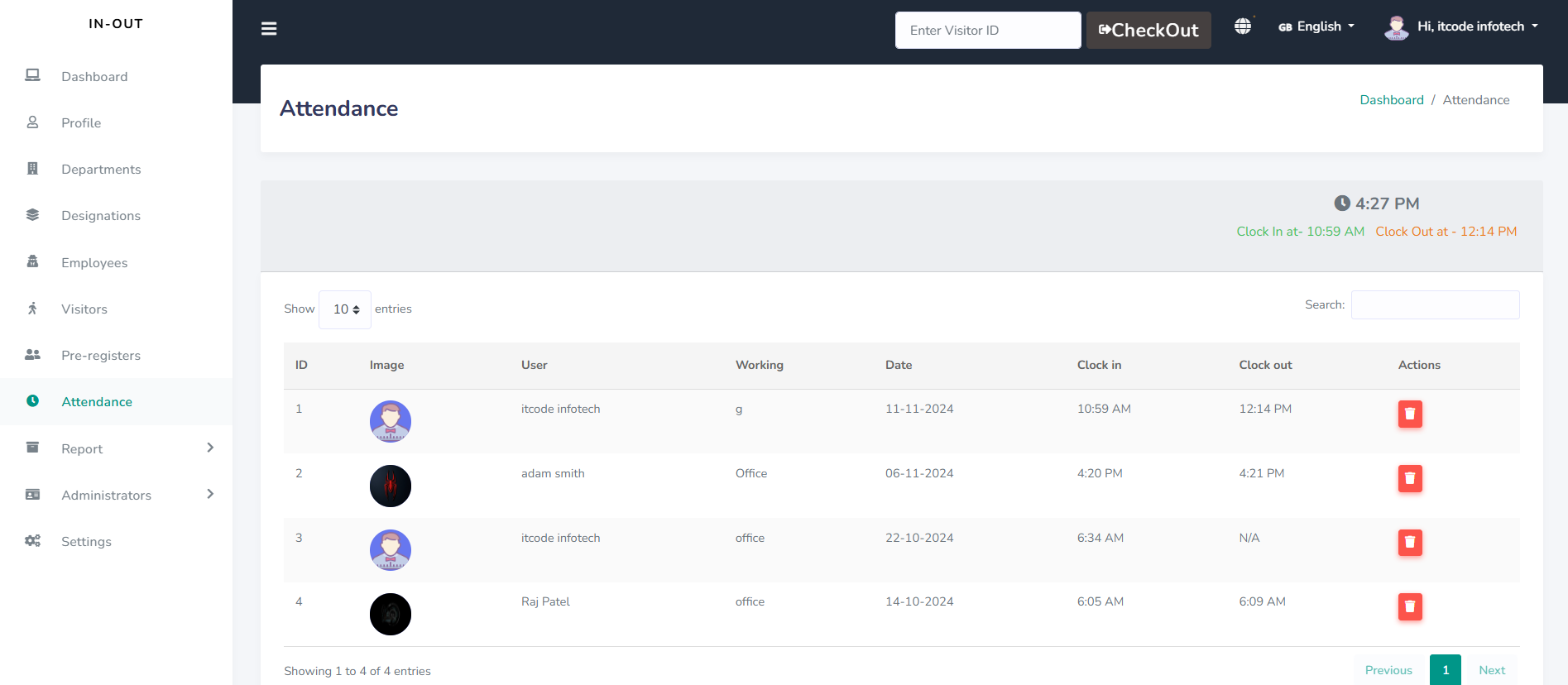
Attendance
The attendance feature records daily check-ins and check-outs for all employees, providing accurate tracking of work hours. This system supports reliable attendance records for payroll and performance management.
Admins can access detailed attendance reports, including late entries and early exits, to monitor employee punctuality. This helps maintain accountability and encourages timely attendance.
Employees can view their own attendance history, allowing them to track work hours and address discrepancies. This transparency fosters trust and gives employees control over their time records.
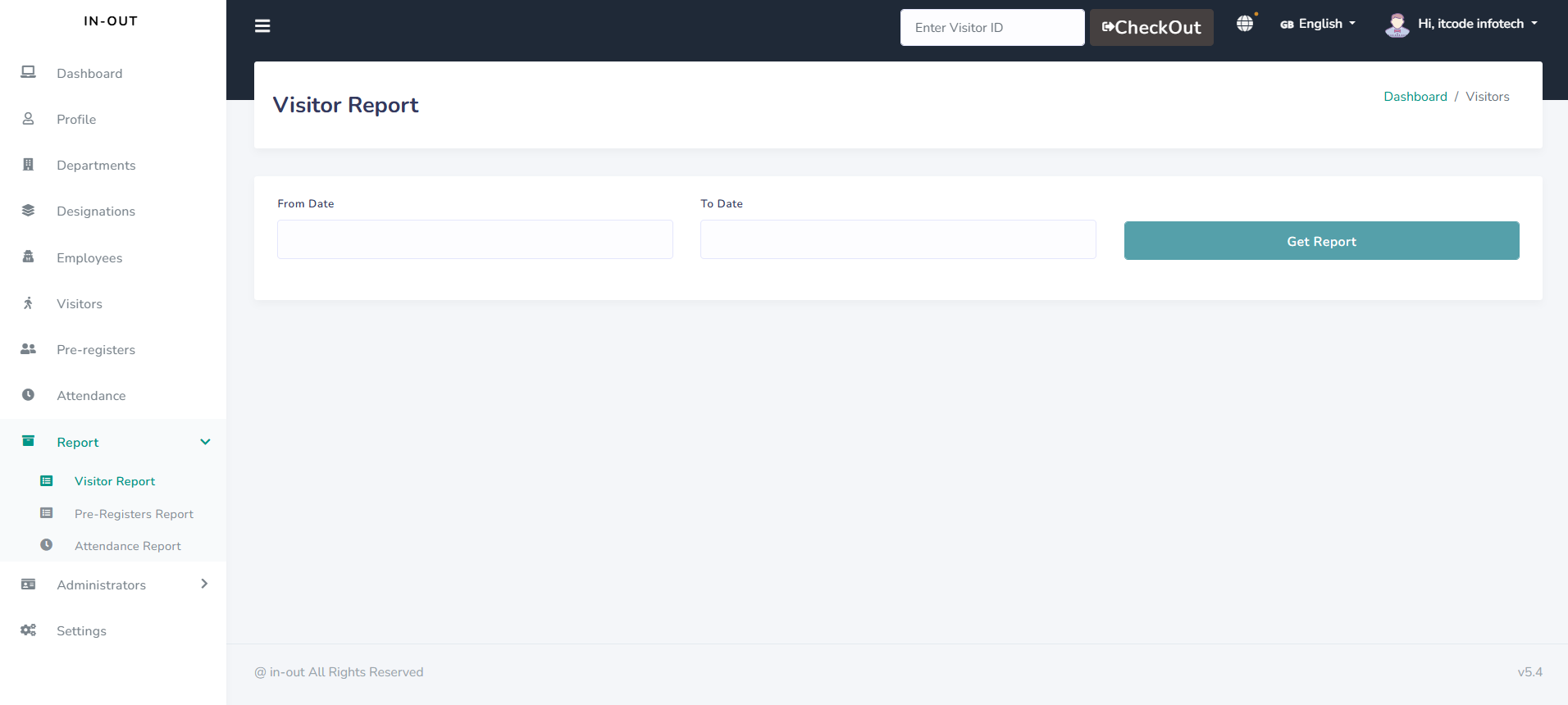
Reports
The reports feature generates comprehensive data summaries on visitor activity, employee attendance, and department performance. This centralized reporting enables admins to monitor trends and make informed decisions.
Admins can customize report filters, such as by date or department, to focus on specific metrics. This flexibility ensures relevant insights tailored to the organization’s needs.
Generated reports are easy to download and share, supporting seamless collaboration across teams. This accessibility promotes data-driven improvements in operational efficiency and security.
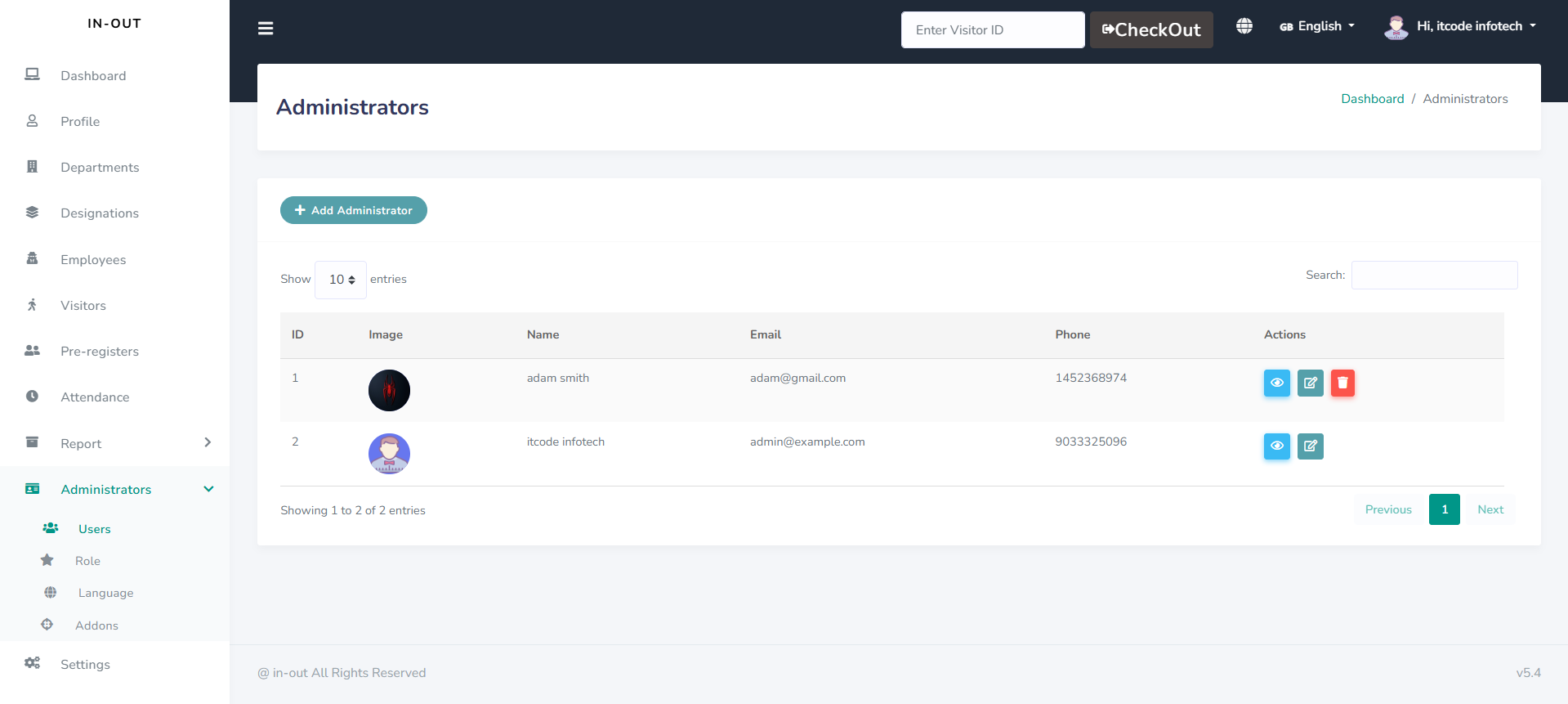
Administrator
The administrator role has full control over the system, managing features like visitor records, employee profiles, and department settings. This ensures the platform aligns with organizational requirements.
Administrators can set permissions and assign roles,tailoring access levels for employees, receptionists, and other users. This role-based access enhances both security and functionality.
They also have access to detailed reports and analytics,helping them monitor system performance and address issues proactively. This oversight supports smooth operations and efficient resource management.
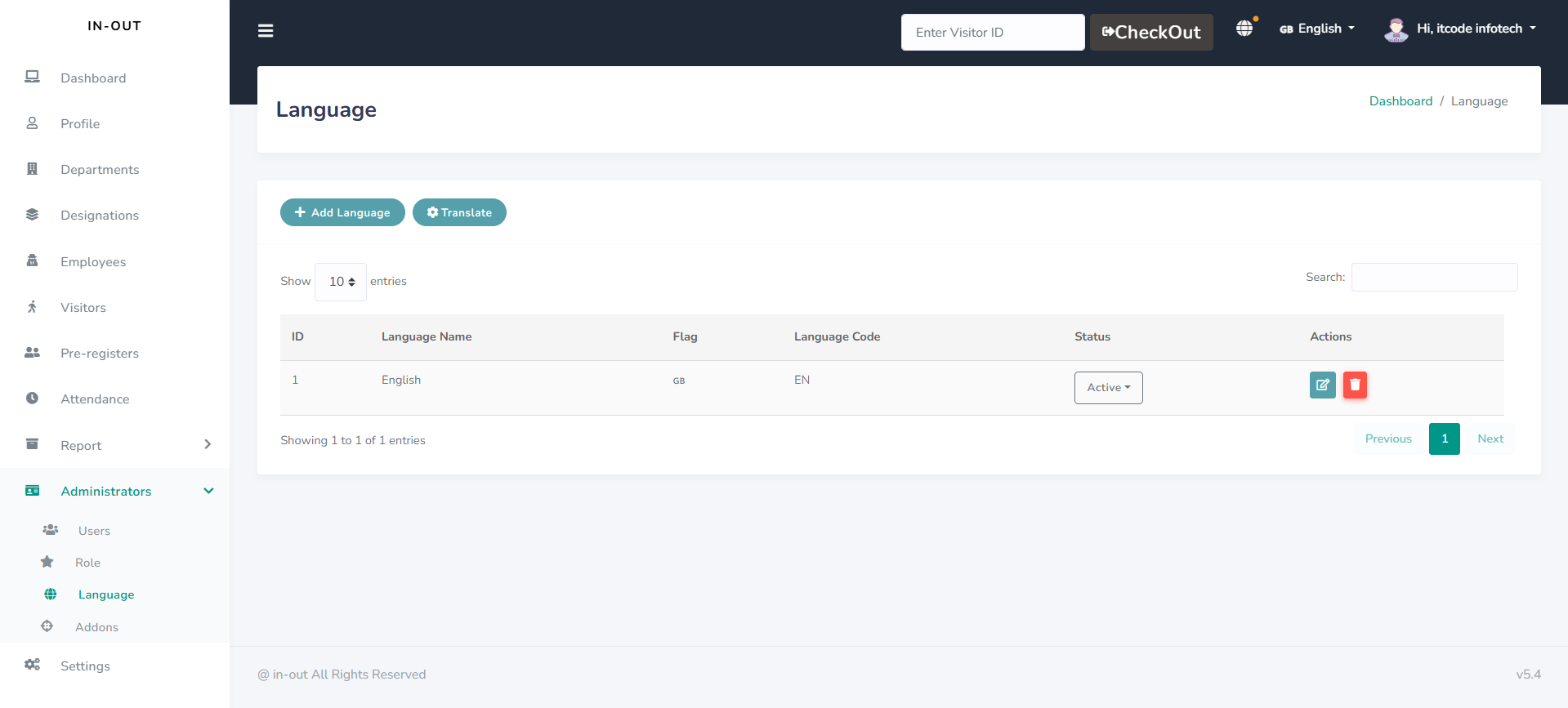
Language
The language feature enables users to select their preferred language for the platform, ensuring ease of use for a diverse audience. This customization improves accessibility and enhances user experience.
Admins can set a default language for the system, while individual users can adjust language settings to suit their needs. This flexibility accommodates multilingual teams and visitors.
With RTL support, the platform caters to languages that read from right to left, such as Arabic. This feature ensures the interface remains intuitive and accessible for all users.
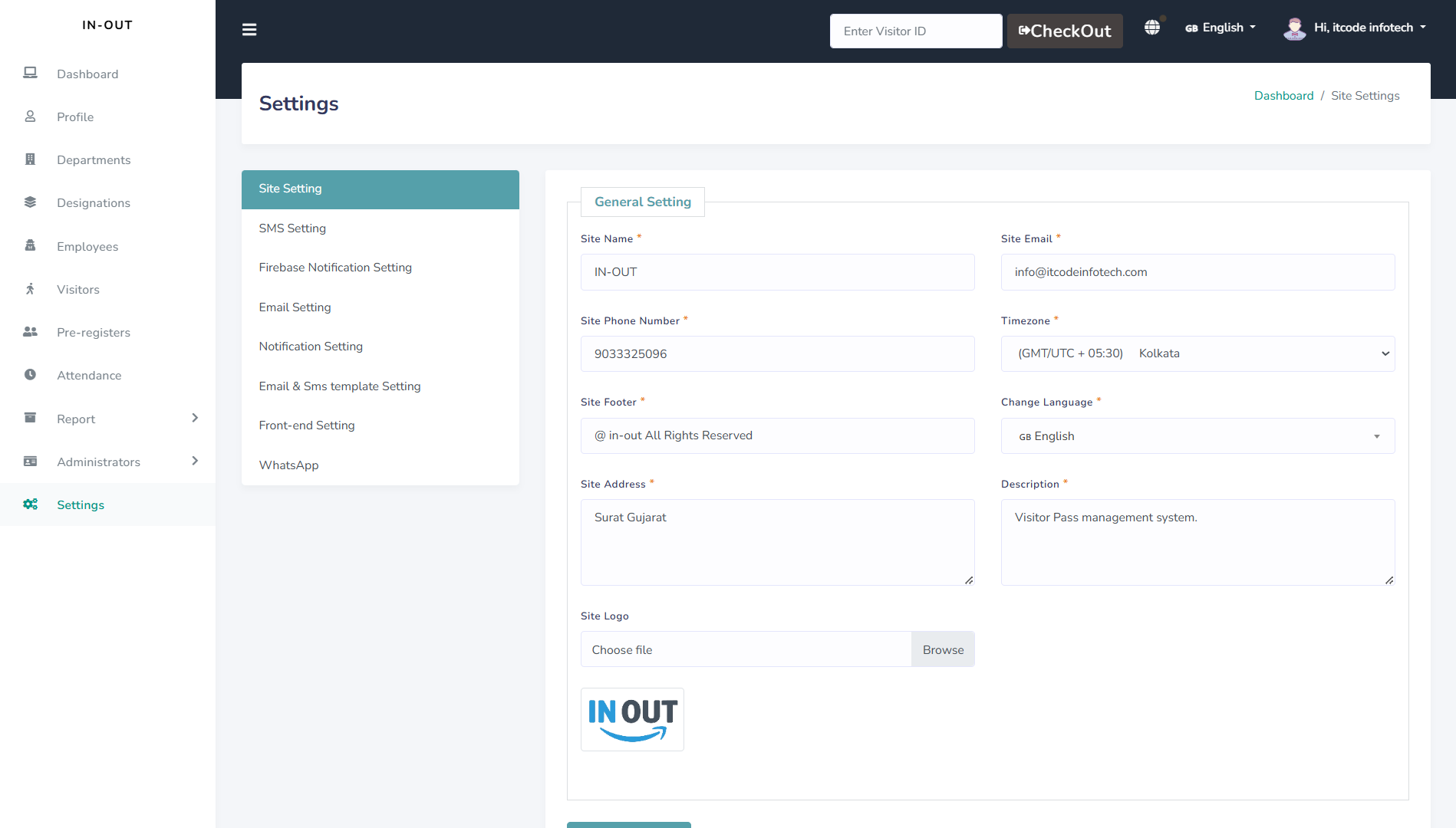
Settings
The settings feature provides users with control over their account preferences, including language, notifications, and security. This customization allows users to tailor the platform to their specific needs.
Admins have access to advanced settings, such as permissions, role management, and system configurations.These controls enable the administrator to keep the system secure and organized.
Users can enable or disable notifications, deciding how they receive alerts for check-ins, messages, and other updates.This flexibility helps each user stay informed without overwhelming them.
Security settings, such as password updates and two-factor authentication, enhance account protection for all users.These features support a secure, reliable environment for managing sensitive information.
Additionally, settings allow customization for interface preferences, such as theme options or layout adjustments.This personalization enhances usability, making the platform adaptable to each user's preferences.
Quick Demo
Experience Our Visitor Management System: Live Demo
Get a quick overview of how our Visitor Management System works! In this demo, you can experience the key features of the system firsthand:
- Visitor Check-In: See how easy it is for visitors to check in using QR codes, mobile numbers, or pre-registration.
- Real-Time Notifications: Witness how hosts are notified instantly when their visitors arrive.
- Report Generation: Explore how reports are generated for visitor data, pre-registrations, and attendance.
- Visitor Checkout: Experience the simple process of checking out and updating visitor records.
To start the demo, simply click on the "Quick Demo" button below and follow the guided steps to explore the system's features.