



Why Cloud Hosting Is Becoming the Future of Business Infrastructure
Business infrastructure is no longer limited to physical servers, fixed office networks, and hardware that must be purchased before an application can grow. As businesses become more dependent on websites, SaaS platforms, mobile applications, APIs, data services, and online customer experiences, the infrastructure behind those systems has become a strategic part of the business.
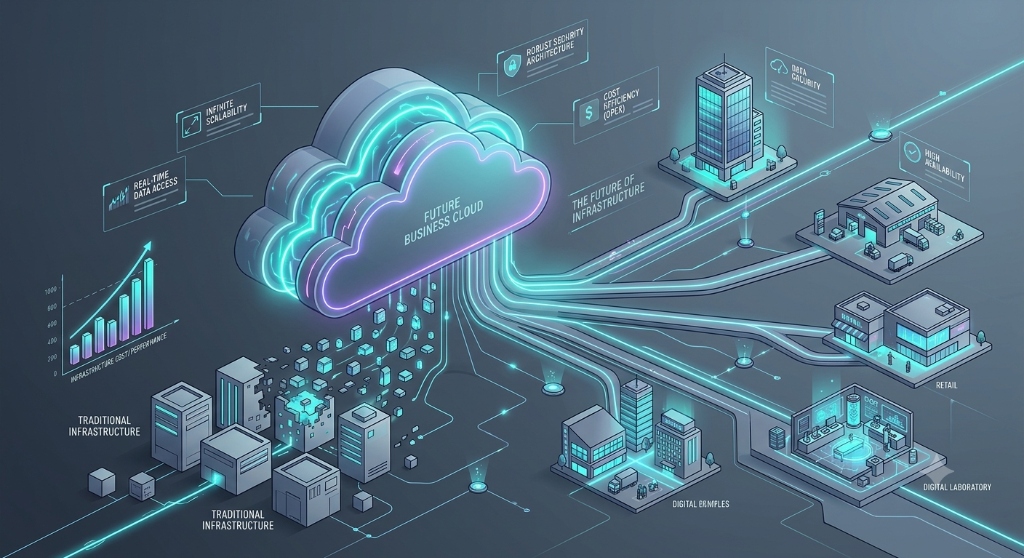
Cloud hosting has changed that infrastructure model. Instead of building every environment around physical hardware, businesses can use cloud computing resources that can be provisioned, adjusted, monitored, and replaced through software and managed services.
That does not mean every business should immediately move everything to the cloud. Cloud hosting introduces its own costs, security responsibilities, operational requirements, and architectural decisions. The more useful question is whether cloud infrastructure gives a business a better way to support its current and future requirements.
This article explains why cloud hosting is becoming an important part of modern business infrastructure and what changes when an organization moves from traditional infrastructure toward a cloud-based operating model.
1. Infrastructure Can Change With the Business
Traditional infrastructure often requires businesses to make capacity decisions before they know exactly how much capacity they will need. Purchasing additional servers, networking equipment, storage, or other hardware can take time and requires planning around future demand.
Cloud infrastructure changes this relationship. Computing resources can be provisioned when they are needed and adjusted as requirements change.
For example, an online business may experience different infrastructure requirements during:
- Normal business hours
- Marketing campaigns
- Product launches
- Seasonal demand
- Large customer onboarding periods
- New application releases
The important benefit is not simply having access to more servers. It is having infrastructure that can be managed as part of the application's operating model.
AWS describes this approach through its Well-Architected guidance, where workload architecture is considered together with reliability, performance efficiency, security, cost optimization, and operational excellence.
2. Cloud Hosting Changes the Way Businesses Think About Capacity
Infrastructure planning used to focus heavily on purchasing enough hardware for expected growth. Cloud environments make capacity planning more dynamic.
However, cloud does not automatically mean unlimited capacity. Applications still have technical limits. Databases, network connections, application architecture, third-party services, and poorly designed workloads can all become bottlenecks.
This means businesses should think about capacity at multiple levels:
- Application capacity
- Database capacity
- Storage capacity
- Network capacity
- Compute capacity
- Third-party service limits
A scalable cloud environment therefore requires more than selecting a larger virtual machine. The application architecture must also be capable of handling changing demand.
3. Cloud Infrastructure Can Support Different Growth Stages
A startup, growing company, and established enterprise do not necessarily need the same infrastructure model.
A small company may begin with a relatively simple application and a small amount of infrastructure. As the business grows, it may introduce separate databases, background workers, object storage, monitoring systems, content delivery, managed databases, queues, or additional application services.
Cloud platforms make it possible to introduce these capabilities progressively rather than requiring the entire infrastructure to be designed at the beginning.
This can be especially useful when a business is still learning which parts of its system will grow fastest.
4. Managed Services Reduce Some Infrastructure Work
One important change introduced by cloud computing is the availability of managed services.
Instead of managing every component manually, businesses can use managed services for areas such as databases, storage, monitoring, networking, queues, backups, and application platforms.
The value of managed services is not that they eliminate technical responsibility. The responsibility changes.
A team may spend less time maintaining physical infrastructure and more time managing configuration, access controls, application architecture, monitoring, costs, and reliability.
This can allow development teams to concentrate more heavily on the product while infrastructure teams focus on the systems that support it.
5. Reliability Becomes an Architecture Decision
Moving to the cloud does not automatically make an application highly available.
Reliability still depends on architecture and operational practices. A business must consider what happens when a server fails, a database becomes unavailable, a deployment introduces an error, or an external dependency stops responding.
Cloud architecture provides tools and services that can help address these scenarios, but those capabilities must be intentionally designed into the system.
For example, a business may need to consider:
- Multiple availability zones or equivalent infrastructure options
- Automated backups
- Disaster recovery procedures
- Health monitoring
- Application redundancy
- Rollback procedures
- Recovery objectives
A useful infrastructure strategy therefore treats failure as something that must be planned for rather than something that will never happen.
AWS's Migration Lens similarly emphasizes reliability, security, performance efficiency, cost optimization, operational excellence, and sustainability when evaluating cloud workloads.
6. Security Moves Closer to the Application and Data
Cloud security is not simply the responsibility of the cloud provider. The exact responsibilities depend on the service being used, and businesses remain responsible for important areas such as identities, permissions, application configuration, data protection, and security practices.
A cloud infrastructure strategy should therefore include security from the beginning.
Important areas include:
- Identity and access management
- Role-based permissions
- Multi-factor authentication
- Encryption of sensitive data
- Network access controls
- Secrets management
- Logging and monitoring
- Backup protection
- Incident response procedures
Microsoft's Cloud Adoption Framework recommends integrating security considerations throughout the cloud adoption process instead of treating security as a final implementation step.
7. Infrastructure Becomes More Software-Driven
Another major change is the increasing use of software to manage infrastructure.
Infrastructure-as-code tools, automated deployment pipelines, configuration management, monitoring, and policy controls allow teams to define and manage infrastructure through repeatable processes.
This creates an important operational advantage: infrastructure changes can become more consistent and easier to review.
For example, instead of manually configuring several environments, a team can define infrastructure requirements and use automation to create development, testing, and production environments according to those definitions.
This approach can reduce configuration differences between environments and make infrastructure changes easier to reproduce.
8. Cloud Makes Monitoring a Core Business Requirement
When infrastructure becomes more distributed, monitoring becomes increasingly important.
A modern application may depend on several components at the same time: application servers, databases, APIs, queues, storage services, authentication systems, and external providers.
A problem in one component can affect the user experience somewhere else.
Businesses should therefore monitor more than whether a server is running.
Useful monitoring areas include:
- Application errors
- Response times
- Database performance
- Infrastructure utilization
- Failed requests
- Queue processing
- Authentication failures
- Storage usage
- Security events
Good monitoring should help a team answer a practical question: What is happening, why is it happening, and what needs to be done?
9. Cloud Costs Need Continuous Management
One common misunderstanding is that moving to the cloud automatically makes infrastructure cheaper.
Cloud spending depends on how resources are selected, configured, consumed, monitored, and removed when they are no longer needed.
A business can create unnecessary costs through unused resources, oversized infrastructure, excessive storage, inefficient data transfer, or services that remain active after they are no longer required.
Cost management should therefore be part of normal infrastructure operations.
A useful process includes:
- Assigning ownership to cloud resources
- Monitoring resource usage
- Reviewing recurring costs
- Removing unused resources
- Choosing appropriate resource sizes
- Forecasting expected infrastructure growth
- Reviewing cost changes after major application releases
AWS includes cost optimization as one of the pillars of its Well-Architected Framework, while Microsoft provides cloud adoption guidance that includes workload and platform cost estimation.
10. Cloud Adoption Does Not Require One Migration Strategy
Businesses sometimes approach cloud migration as if every application should be moved in exactly the same way.
In practice, different workloads may require different strategies.
Microsoft's Cloud Adoption Framework describes approaches including retiring, retaining, rehosting, replatforming, refactoring, rearchitecting, rebuilding, and replacing workloads.
For example:
- Rehost: Move an existing workload with minimal changes.
- Replatform: Move the workload while adopting selected managed services.
- Refactor: Change application code to improve its cloud operation.
- Rearchitect: Change the application's architecture to support different scalability or operational requirements.
- Retain: Keep a workload where moving it does not currently provide enough value.
- Retire: Remove a workload that is no longer needed.
This workload-by-workload approach can prevent businesses from treating cloud adoption as a single technical project.
11. Cloud Can Support Faster Infrastructure Changes
Modern businesses often need to release new features, respond to customer requirements, and change infrastructure without waiting for long hardware procurement cycles.
Cloud platforms can support this through automation and programmable infrastructure.
For example, a development team can create an environment for testing a new application version, validate the release, and then deploy it through an automated process.
The important point is that cloud infrastructure can become part of the software delivery process instead of remaining completely separate from it.
This is particularly valuable for organizations that release applications frequently and need development and operations teams to work closely together.
12. Business Continuity Becomes Easier to Design Into Infrastructure
Business continuity is not simply about keeping the primary application online. It also involves preparing for situations where normal infrastructure cannot be used.
A business should understand:
- Which systems are critical
- Which data must be recovered
- How quickly systems need to return to service
- Where backups are stored
- Who is responsible for recovery
- How recovery procedures are tested
Cloud services can provide infrastructure options for backups, replication, recovery, and geographically separated resources. However, these capabilities still need to be configured and tested according to the business's actual requirements.
A backup that has never been restored should not automatically be treated as a proven recovery strategy.
13. Cloud Hosting Is Not the Same as Cloud-Native Architecture
A business can host an existing application in the cloud without redesigning it.
This distinction is important.
A traditional application running on a cloud virtual machine may still behave like the same traditional application. Simply changing the location of the server does not automatically make the application scalable, resilient, or cloud-native.
Cloud-native modernization may involve architectural changes such as managed services, containers, event-driven components, automated scaling, centralized observability, or independent application services.
Whether those changes are worthwhile depends on the application's requirements.
Businesses should avoid redesigning an application simply because cloud-native technology is available. Architecture changes should solve a real business or technical problem.
14. A Practical Cloud Infrastructure Maturity Path
Businesses do not need to implement every cloud capability at once.
A practical progression can look like this:
- Understand the current environment: Document applications, databases, dependencies, users, data, and infrastructure.
- Establish security controls: Define identities, permissions, network controls, data protection, and monitoring.
- Move suitable workloads: Start with workloads whose requirements and dependencies are understood.
- Automate repeatable tasks: Introduce deployment and infrastructure automation where it provides clear value.
- Improve observability: Monitor application behavior, infrastructure, costs, and security events.
- Optimize: Review performance, reliability, architecture, and cloud spending.
- Modernize selectively: Redesign only the workloads where modernization solves a meaningful problem.
This approach creates a progression instead of treating cloud adoption as a one-time infrastructure replacement.
15. When Cloud Hosting May Not Be the Right Answer
Cloud hosting is useful, but it is not automatically the correct choice for every workload.
A business may decide to retain certain systems because of regulatory requirements, specialized hardware, existing architecture, latency requirements, contractual restrictions, or the cost and complexity of migration.
Hybrid infrastructure can also be appropriate when some workloads remain on-premises while others operate in cloud environments.
The objective should therefore not be to move everything to the cloud simply because cloud technology is popular. The objective should be to select an infrastructure model that supports the organization's requirements.
16. Questions Businesses Should Ask About Their Future Infrastructure
Before expanding its cloud footprint, a business can review the following questions:
- Which applications are most important to the business?
- Which workloads are growing fastest?
- Where are the current infrastructure bottlenecks?
- Which systems require high availability?
- How is critical data protected?
- How quickly must systems recover after a failure?
- Who owns cloud security decisions?
- How are cloud costs monitored?
- Which infrastructure changes are currently manual?
- Which workloads should remain unchanged?
- Which applications would actually benefit from modernization?
- How will the infrastructure be monitored after migration?