


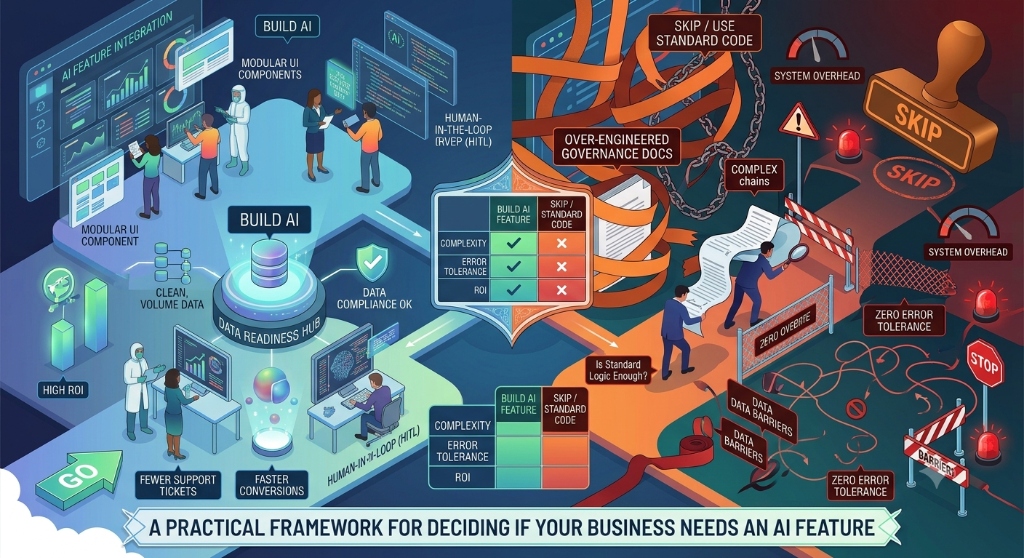

Adding artificial intelligence to a product can sound simple: connect a model, add an interface, and let the system generate an answer. In practice, the difficult part is deciding whether AI is actually the right solution for the user problem.
A useful AI feature should solve a clearly defined problem, fit naturally into the product experience, and have an acceptable level of reliability, cost, latency, privacy, and operational complexity. This is why teams need a decision framework before choosing a model or building an AI workflow.
Start With the User Problem, Not the AI Technology
The first question should not be “Where can we add AI?” It should be “What problem are users trying to solve?”
For example, a team may discover that users spend time searching through long documents, writing repetitive text, categorizing incoming requests, or interpreting information. These problems may potentially benefit from AI, but the exact solution depends on the task.
Write the problem in a simple form:
- Who is experiencing the problem?
- What are they trying to accomplish?
- What makes the current process difficult?
- How is the problem handled today?
- What would a successful outcome look like?
This prevents the product decision from becoming an AI experiment without a clear user benefit.
Understand What Kind of Task You Are Automating
Not every task that involves text, data, or decisions requires generative AI. Some problems are better handled with traditional application logic, search, rules, or structured workflows.
| Task characteristic | Potential approach |
|---|---|
| Fixed business rule | Traditional application logic |
| Exact database lookup | Database query or search |
| Predictable calculation | Deterministic code |
| Classification from well-defined categories | Rules or machine learning, depending on the problem |
| Summarizing or transforming natural language | Generative AI may be appropriate |
| Generating natural-language drafts | Generative AI may be appropriate |
| Complex workflow requiring several systems | Workflow orchestration with AI where it provides a clear benefit |
The goal is not to maximize the amount of AI in a product. The goal is to use the simplest technology that reliably solves the problem.
A Practical AI Feature Decision Framework
Before implementation, evaluate the proposed feature through the following sequence. If the answer becomes weak at an early stage, reconsider the feature before investing heavily in implementation.
Step 1: Define the User Outcome
Describe the result the user needs rather than describing the AI capability.
Instead of saying “We want an AI chatbot,” define the intended outcome such as “Users should be able to find the relevant information in company documentation without manually searching multiple pages.”
Step 2: Check Whether AI Adds Meaningful Value
Ask whether AI provides an advantage over a simpler solution.
- Would a search interface solve the problem?
- Would a form or structured workflow be sufficient?
- Could a database query provide the required answer?
- Would a deterministic rule be more predictable?
- Does the task actually require natural-language generation or interpretation?
If a simpler solution provides the same result with greater predictability, an AI implementation may not be necessary.
Step 3: Define the Acceptable Error Level
AI systems can produce incorrect or incomplete outputs. The acceptable level of error depends on the purpose of the feature.
A system that drafts an internal message may allow a person to review and correct the result. A system that directly performs an important business action may require much stronger controls.
Define what happens when the AI output is wrong before building the feature.
Step 4: Identify the Required Data
Determine what information the feature needs to work effectively.
- What data will be provided to the system?
- Where does that data come from?
- Is the data accurate and current?
- Does the feature require private or confidential information?
- Who should be allowed to access the information?
- How long should the data be retained?
An AI feature cannot compensate for poorly understood data ownership or inappropriate access controls.
Step 5: Decide Where Human Review Is Required
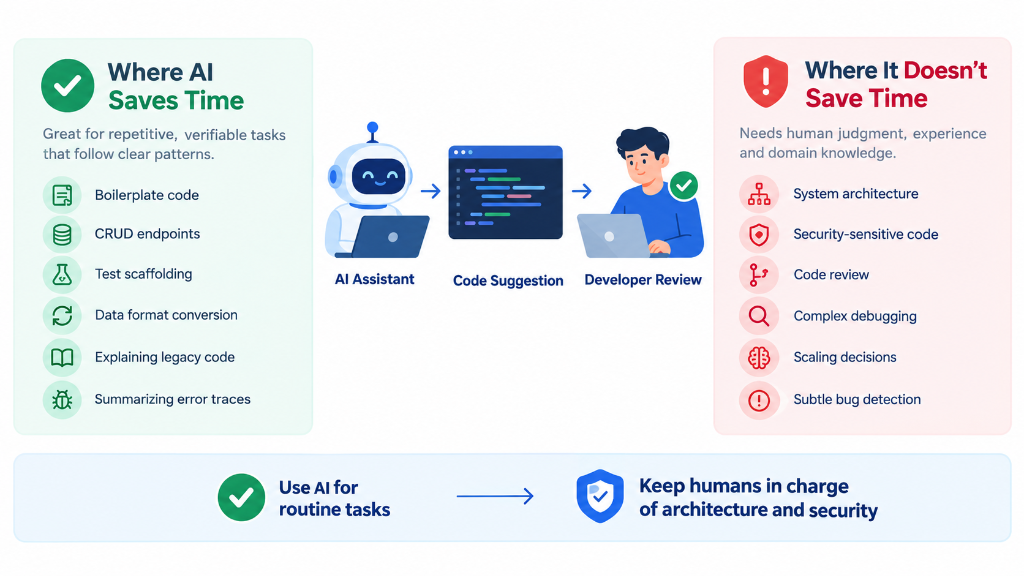
Human involvement should be designed into the workflow when the consequences of an incorrect result are significant.
There is a meaningful difference between:
- AI suggesting an answer that a user reviews.
- AI creating a draft that a user approves.
- AI making a recommendation that a user can override.
- AI automatically performing an action without review.
Define the boundary between assistance and automation before implementation.
Step 6: Evaluate Reliability
Do not evaluate an AI feature using only a few successful examples. Create representative test cases that reflect the situations users will actually encounter.
Include normal inputs, incomplete inputs, ambiguous requests, unexpected wording, missing information, and cases where the system should refuse to provide an answer.
The evaluation should measure whether the feature performs its intended task consistently enough for its specific use case.
Step 7: Evaluate Privacy and Security
AI features often introduce additional data flows and dependencies. The team should understand what information enters the system, where it is processed, who can access it, and what controls protect it.
Security decisions should cover authentication, authorization, sensitive data handling, prompt and input validation, output handling, logging, and the permissions available to any AI-connected tools.
The NIST AI Risk Management Framework provides a structured approach for managing risks associated with AI systems.
Step 8: Evaluate Cost and Latency
A feature that works technically may still create a poor product experience if it is too slow or expensive to operate.
Estimate the expected workload and consider:
- How often users will invoke the feature.
- How much input the system processes.
- How much output it generates.
- Whether requests require multiple model calls.
- Whether external services are involved.
- What happens when usage increases.
Cost and latency should be evaluated during the design stage rather than after launch.
Step 9: Design Failure and Fallback Paths
An AI feature should have a defined behavior when the model is unavailable, produces an unsuitable response, exceeds a time limit, or does not have enough information to answer.
Possible fallback behavior depends on the feature. The system might ask the user for clarification, return a standard search result, allow manual completion, or explain that the requested action cannot currently be completed.
A clear fallback is part of the product design, not merely an engineering exception.
Step 10: Define How Success Will Be Measured
Choose measurements that reflect the original user problem.
| Goal | Possible measurement |
|---|---|
| Reduce repetitive work | Time required to complete the task |
| Improve information discovery | Successful completion of information-seeking tasks |
| Improve drafting | Percentage of outputs accepted or meaningfully edited |
| Support customer service | Resolution workflow metrics and human review results |
| Improve internal productivity | Task completion time and user feedback |
The exact measurement should be selected according to the feature rather than using a generic AI metric.
Build the Smallest Useful Version First
An AI feature does not need to automate an entire business process in its first version.
A smaller implementation can help the team understand real usage, identify failure cases, collect feedback, and determine whether the expected value exists.
For example, instead of automatically processing an entire workflow, the first version might generate a recommendation while leaving the final action to a user.
This approach also makes it easier to change the workflow when testing reveals that the original assumptions were incorrect.
Choose the Model and Architecture After Defining the Requirement
Model selection should follow the product requirements rather than determine them.
Depending on the feature, the architecture may involve a language model, retrieval system, traditional application services, databases, search, or several components working together.
Before selecting a provider or model, define the requirements for:
- Output quality
- Response time
- Data handling
- Availability
- Operational complexity
- Expected workload
- Integration requirements
This creates a more useful basis for comparing implementation options.
Give the AI Feature a Clear Product Boundary
Users should understand what the feature can and cannot do.
The interface should communicate uncertainty when necessary and provide a clear way to correct, review, or retry an output.
A useful AI experience should not hide important limitations behind confident-looking responses. The product should make the user's role in the process clear.
The Google People + AI Guidebook provides design guidance for creating human-centered AI experiences.
Monitor the Feature After Launch
Evaluation should continue after the feature reaches production. Real users will create inputs that were not included in the original test set.
Monitor areas such as:
- Unexpected or incorrect outputs.
- User corrections and rejected responses.
- Failed requests.
- Latency and availability.
- Usage patterns.
- Cost per workflow.
- Security and privacy incidents.
Monitoring should help the team identify when the feature needs better prompts, better data, improved retrieval, different workflow rules, or a different technical approach.
Common Mistakes When Adding AI Features
Starting With the Model
Choosing a model before defining the user problem can turn product development into technology experimentation.
Automating Too Much Too Early
Full automation can increase the impact of incorrect outputs. A staged workflow with human review can provide a safer starting point for many use cases.
Ignoring Data Quality
Incorrect, outdated, or incomplete source information can produce poor results even when the AI system itself is functioning as designed.
Testing Only Successful Examples
A feature needs testing for difficult and unexpected inputs, not only examples that produce the desired result.
Ignoring the User Experience
An accurate model does not automatically create a useful product. Users still need understandable controls, clear states, appropriate feedback, and recovery paths.
Adding AI Where Rules Are Enough
If a simple deterministic rule can reliably solve the problem, introducing AI may add unnecessary complexity.
A Practical AI Feature Checklist
- Is the user problem clearly documented?
- Is the desired user outcome measurable?
- Does AI provide meaningful value compared with simpler approaches?
- Are the required data sources identified?
- Are privacy and access requirements understood?
- Is the acceptable error level defined?
- Are representative test cases available?
- Is human review required for any part of the workflow?
- Are failure and fallback states defined?
- Have cost and latency been considered?
- Are model and provider requirements documented?
- Can the feature be released as a smaller first version?
- How will users provide corrections or feedback?
- What production metrics will be monitored?
- What conditions would cause the team to change or remove the feature?