


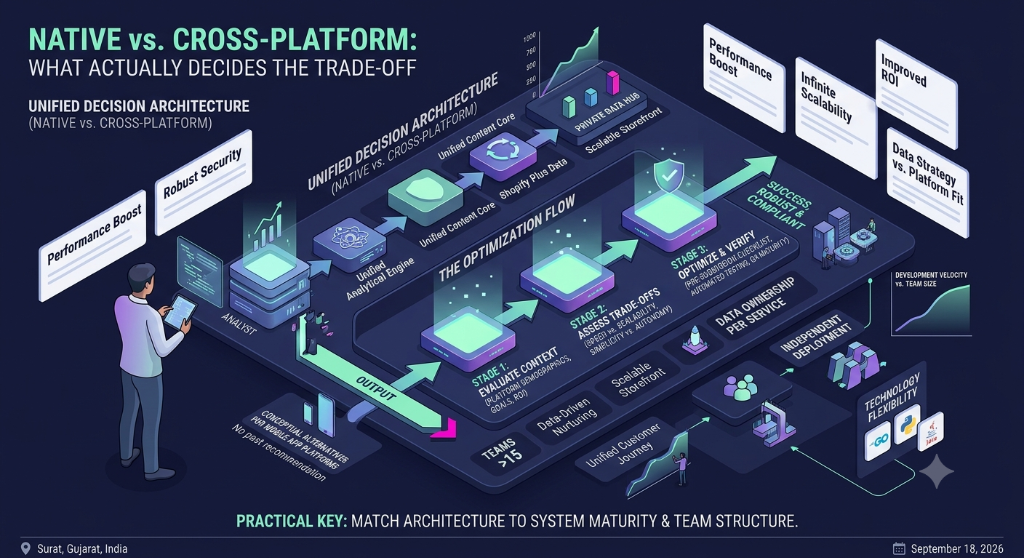

Choosing a mobile application framework is not simply a comparison of programming languages or a list of framework features. The right choice depends on the product requirements, target platforms, existing team skills, native functionality, performance expectations, and how the application will be maintained after launch.
Frameworks such as React Native, Flutter, and native Android or iOS development can all be appropriate in different situations. The useful question is not which technology is universally best, but which approach fits the application's actual requirements.
Start With the Product Requirements
Before comparing frameworks, define what the application needs to do.
A content-focused application may have very different technical requirements from a field-service application that depends on location services, offline storage, background synchronization, cameras, Bluetooth devices, or other platform capabilities.
Start by documenting:
- Target platforms
- Core user journeys
- Required device capabilities
- Offline requirements
- Performance expectations
- Authentication and security requirements
- Third-party integrations
- Expected maintenance needs
This prevents the technology decision from being driven primarily by framework popularity.
Native Development vs Cross-Platform Development
One of the first decisions is whether to build separately for each platform or share a significant portion of the application code.
| Approach | Typical Characteristics | Important Consideration |
|---|---|---|
| Native Android | Platform-specific Android application | Direct access to Android APIs and platform behavior |
| Native iOS | Platform-specific iOS application | Direct access to Apple platform APIs and conventions |
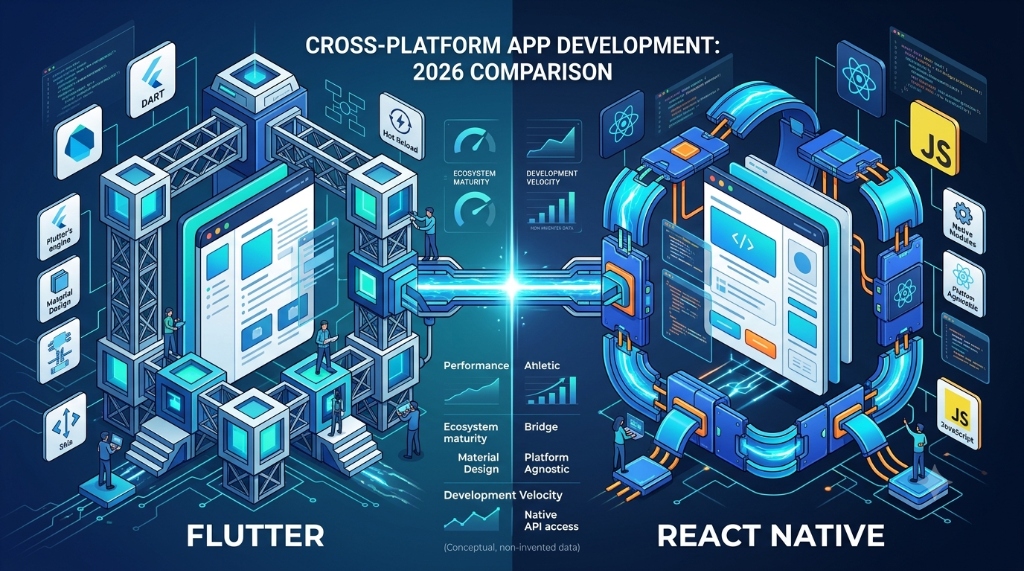
| React Native | Cross-platform application development using React and JavaScript or TypeScript | Native platform integration may still be required for some capabilities |
| Flutter | Cross-platform development using Dart and Flutter's UI framework | Team needs to understand Flutter and Dart architecture |
Cross-platform development can reduce duplicated application code, but it does not remove the need to understand the underlying platforms.
React Native: When It Can Fit
React Native is designed for building native applications using React. It can be useful for teams that already work with React and want to share application logic across mobile platforms.
A React Native project can also integrate with native platform code when application requirements go beyond what the available JavaScript or React Native APIs provide.
This makes React Native worth considering when:
- The team already has strong React or TypeScript experience.
- The application targets both Android and iOS.
- Sharing application logic is important.
- The product needs integration with platform capabilities.
- The team is comfortable maintaining native modules when necessary.
The important architectural question is not only how much code can be shared, but where platform-specific behavior should remain separate.
Flutter: When It Can Fit
Flutter provides a cross-platform framework with its own widget system and Dart programming language.
It can be useful when a team wants substantial control over the application's user interface and prefers a consistent UI architecture across supported platforms.
Flutter can be considered when:
- The team is comfortable adopting Dart.
- The application requires a highly controlled interface.
- A shared cross-platform UI architecture is desirable.
- The team wants to use Flutter's widget-based development model.
- The required platform integrations are available or can be implemented appropriately.
As with any cross-platform approach, developers still need to understand platform-specific behavior when working with device APIs, permissions, notifications, background work, or other operating-system features.
Native Android and iOS: When Separate Development Makes Sense
Native development can be appropriate when an application depends heavily on platform-specific functionality or requires behavior that is closely aligned with one operating system.
Separate native applications can also make sense when Android and iOS experiences intentionally need to differ rather than share the same implementation.
Consider native development when:
- The application depends heavily on platform-specific APIs.
- Device hardware integration is central to the product.
- Platform-specific performance requirements are strict.
- The product requires deep operating-system integration.
- The team has established native Android or iOS expertise.
Compare Frameworks by Capability, Not Marketing
A framework comparison should be based on the actual requirements of the application.
| Requirement | Questions to Ask |
|---|---|
| Platforms | Which operating systems and device types must be supported? |
| UI | Does the application need platform-specific UI behavior or a highly consistent shared interface? |
| Hardware | Will the application use cameras, Bluetooth, GPS, sensors, biometrics, or other device capabilities? |
| Offline usage | Must important workflows continue without an internet connection? |
| Performance | Which workflows have strict responsiveness or resource requirements? |
| Team skills | Which languages and frameworks can the team maintain confidently? |
| Maintenance | How will framework upgrades and native dependencies be managed? |
Think Carefully About Native APIs
Cross-platform does not mean platform-independent.
Mobile applications eventually interact with operating-system features such as permissions, notifications, storage, location, camera access, background processing, and other device services.
Before selecting a framework, identify the native capabilities your application requires and verify how the framework supports each one.
Do not assume that a third-party package will always provide the exact behavior your application needs. Check its documentation, maintenance status, platform support, and integration requirements before making it a core dependency.
Offline Support Changes the Architecture
An application that must work without reliable connectivity needs more than a framework choice.
You may need:
- Local data storage
- Queued operations
- Synchronization logic
- Conflict handling
- Retry behavior
- Clear synchronization status
If offline behavior is important to the product, evaluate the framework together with the storage and synchronization architecture rather than selecting the UI technology first.
Performance Should Be Tested on Real Workflows
Framework comparisons often make broad performance claims. Those claims do not necessarily describe the performance of your application.
Performance depends on the application architecture, rendering workload, data volume, network behavior, device capabilities, native integrations, and implementation details.
Define representative workflows and test them on realistic devices.
Useful scenarios can include:
- Application startup
- Navigation between major screens
- Large list rendering
- Image-heavy screens
- Offline synchronization
- Form submission
- Camera or device integration
- Background tasks where applicable
Consider the Development Team
The best technical architecture is difficult to maintain if the team does not have the skills required to support it.
Consider the team's existing experience with:
- Programming languages
- Mobile application architecture
- State management
- Testing
- Native platform development
- Build and release processes
- Debugging production applications
A team with strong React and TypeScript experience may evaluate React Native differently from a team with extensive Dart and Flutter experience. Similarly, a team with deep Android or iOS expertise may have different maintenance considerations.
Do Not Ignore the Build and Release Process
Mobile development includes more than writing application code.
Before selecting a framework, understand how the team will handle:
- Development environments
- Debug builds
- Release builds
- Signing and certificates
- Application configuration
- Continuous integration
- Automated testing
- Store releases
- Framework and dependency upgrades
A framework that appears simple during initial development can create additional operational work if the team has not planned the complete delivery process.
Third-Party Dependencies Need Review
Mobile frameworks commonly rely on packages and plugins for additional capabilities.
Before adding an important dependency, review:
- Supported platforms
- Documentation quality
- Release history
- Compatibility with the application's framework version
- Native dependencies
- Issue and maintenance activity
- Migration requirements between major versions
Minimize unnecessary dependencies. Every external package can become part of the application's future maintenance surface.
Testing Strategy Should Be Defined Early
Framework selection should include a plan for testing.
Depending on the application, testing can include unit tests, integration tests, component or widget tests, end-to-end tests, and manual testing on representative devices.
Pay particular attention to platform-specific behavior. A shared codebase can still contain different behavior on Android and iOS because the underlying operating systems are different.
Security Is an Architecture Requirement
Mobile applications may process authentication credentials, personal information, tokens, location data, files, and other sensitive information.
Security should therefore be considered during architecture design rather than added after the framework has been selected.
Review how the application handles:
- Authentication tokens
- Local storage
- Network communication
- Permissions
- Sensitive logs
- Application configuration
- Third-party SDKs
- Session expiration
The framework does not automatically make an application secure. Secure implementation and appropriate platform controls remain necessary.
Architecture Should Allow for Change
Mobile products evolve. New screens, integrations, device capabilities, and business requirements may appear after launch.
A framework decision should therefore be evaluated against the expected lifetime of the product.
Ask:
- How easy will it be to add new features?
- How will shared and platform-specific code be organized?
- How will dependencies be upgraded?
- How will native integrations be maintained?
- How will developers test changes safely?
- How easy will it be for a new developer to understand the project?
A Practical Framework Selection Process
Use the following sequence instead of starting with a framework preference:
- Define the application's primary user journeys.
- List the target platforms and supported device types.
- Identify required native capabilities.
- Document offline and synchronization requirements.
- Define important performance expectations.
- List security and privacy requirements.
- Review the team's existing technical skills.
- Compare the candidate frameworks against those requirements.
- Identify areas where native code may still be necessary.
- Build a small technical proof of concept for high-risk features.
- Evaluate testing, build, release, and maintenance requirements.
- Document the reasons for the final technology decision.
Build a Proof of Concept for the Risky Parts
You do not need to build the entire product before selecting a framework.
Instead, test the parts that create the most uncertainty.
For example, if the application depends on offline synchronization, Bluetooth hardware, background processing, or a complex camera workflow, build a small prototype around that requirement.
A proof of concept can expose framework limitations before the technology becomes deeply embedded in the product.
Common Mistakes in Mobile Framework Selection
- Choosing a framework only because it is popular.
- Choosing based only on development speed.
- Ignoring native platform requirements.
- Comparing benchmark numbers without testing the actual application.
- Ignoring the team's existing skills.
- Adding too many third-party packages.
- Delaying security and privacy decisions.
- Ignoring the build and release process.
- Failing to test difficult device integrations early.
- Assuming that one codebase means zero platform-specific work.
Practical Mobile Framework Evaluation Checklist
Before finalizing a framework, review these questions:
- Are all required target platforms supported?
- Does the framework support the application's required device capabilities?
- Can the team maintain the selected language and architecture?
- Are offline requirements supported by an appropriate architecture?
- Can high-risk features be implemented without unacceptable workarounds?
- Has performance been tested using realistic workflows?
- Are important third-party dependencies actively maintained?
- Is native code required, and does the team have the necessary skills?
- Can the application be tested effectively?
- Is the build and release process understood?
- Can sensitive information be handled securely?
- Can the framework and dependencies be upgraded safely?
- Will the architecture remain understandable as the product grows?
- Has a proof of concept been completed for the highest-risk technical requirement?
- Have the long-term maintenance costs been considered?
- Has the technology decision been documented against the actual product requirements?