



Why AI Changes the Way Client Data Privacy Must Be Considered
Adding an AI feature to a software product can change how client data moves through the system. A feature that summarizes customer messages, extracts information from documents, generates responses, or analyzes internal records may send application data to an AI model or another third-party service.
That means privacy cannot be treated as a final checkbox after the AI feature has already been built. The team needs to understand what information is collected, where it goes, why it is processed, who can access it, and how long it should remain available.
The exact legal requirements depend on factors such as the organization, users, location, type of data, and applicable laws. This article focuses on the engineering and product decisions that should be made before adding AI to a client-facing product.
1. Start by Mapping the Data Flow
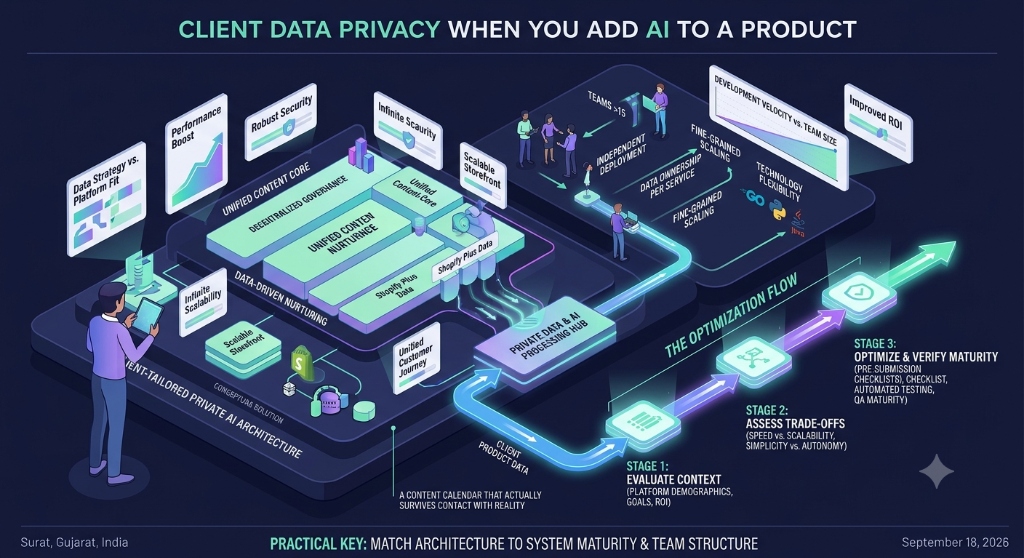
Before selecting an AI model or writing an integration, map the information that will move through the feature.
A basic AI data flow may look like:
- User enters information into the application.
- The application stores the information.
- The backend prepares data for the AI feature.
- The application sends selected data to an AI provider.
- The AI provider processes the request.
- The application receives the response.
- The response is stored, displayed, or used by another workflow.
Each step creates a potential place where sensitive information can be exposed or retained.
Do not assume that because information is already stored inside your application, it is automatically appropriate to send that information to an external AI service.
2. Identify What Data the AI Feature Actually Needs
An AI feature should receive the minimum information required to perform its intended task.
For example, if an AI feature needs to classify a support request, it may not need the customer's complete account history. If a feature summarizes a document, it may need the document content but not unrelated customer records.
Before sending data to an AI service, ask:
- What exact fields are required?
- Can unnecessary fields be removed?
- Can direct identifiers be avoided?
- Can the data be filtered before it reaches the model?
- Does the AI feature need the entire record or only selected fields?
Reducing unnecessary data processing can also simplify security and compliance decisions.
3. Classify the Information Before Processing It
Not all application data has the same privacy or security requirements.
A product team should establish a data classification approach that identifies information such as:
| Data category | Example | AI consideration |
|---|---|---|
| Public information | Public product documentation | Usually lower privacy risk, but integrity still matters. |
| Internal information | Internal procedures | Access should be limited to authorized users. |
| Personal information | Name, email address, account information | Processing may create privacy obligations depending on applicable law. |
| Sensitive information | Information requiring stronger organizational controls | Requires additional review before being included in AI workflows. |
The exact classification categories should be defined by the organization and the requirements that apply to the product.
4. Understand Where the AI Provider Fits Into the Data Flow
Using an external AI API introduces another service into the application's processing chain.
The development team should understand the provider's documentation and contractual terms before sending client information.
Important questions include:
- What data is sent to the provider?
- How is the data processed?
- How long is it retained?
- Is the data used for model training or other purposes?
- Where is the data processed?
- What security controls are provided?
- What deletion mechanisms are available?
- What contractual terms apply to customer data?
These answers should come from the specific AI provider's current documentation and agreement rather than assumptions about how AI services operate.
5. Do Not Put Sensitive Data Into Prompts by Default
Prompt construction is also a privacy decision.
A backend service might have access to a large customer record, but that does not mean the entire record should be inserted into every prompt.
Build prompts from explicitly selected fields and keep the data scope as small as the feature allows.
For example, a support-summary feature may need the conversation text and issue category. It may not need internal billing information, authentication details, or unrelated account fields.
6. Separate Application Permissions From AI Permissions
An AI feature should not accidentally become a way to bypass the application's existing authorization rules.
If a user cannot normally access a customer record, an AI assistant should not be able to retrieve that record on the user's behalf unless the application's authorization model explicitly allows it.
This becomes especially important when AI features can search internal databases, retrieve documents, or call application APIs.
The system should enforce authorization before information is included in the AI context.
7. Be Careful With Retrieval-Augmented Generation
Retrieval-augmented generation, commonly called RAG, allows an AI system to retrieve information from an organization's own documents or databases before generating a response.
This can be useful for internal knowledge assistants, but it introduces another access-control boundary.
The retrieval system should consider:
- Who is asking the question?
- Which documents can that user access?
- Which records are allowed into the retrieval result?
- Can one customer's information appear in another customer's response?
- Are deleted or revoked documents still available to retrieval?
Simply placing all company documents into one vector database and giving every user access to the same retrieval layer can create an authorization problem.
8. Protect AI Inputs and Outputs
Privacy controls should apply to both the information sent to the model and the information returned by it.
An AI response can contain sensitive information if the model received sensitive context or if the underlying retrieval system exposed it.
Consider appropriate controls for:
- API authentication.
- Authorization.
- Encryption in transit.
- Encryption at rest where appropriate.
- Access logging.
- Audit logging for sensitive operations.
- Secrets management.
- Data retention.
OWASP's guidance for large language model applications identifies risks around sensitive information disclosure and other application-level threats that should be considered when designing AI systems. OWASP Top 10 for Large Language Model Applications
9. Decide What Should Be Logged
Application logs are another place where AI-related client data can accidentally become persistent.
Logging an entire prompt and response may appear useful for debugging, but those records can contain personal or confidential information.
Before enabling detailed AI logging, decide:
- What information is necessary for debugging?
- Which fields should be removed or masked?
- Who can access the logs?
- How long should the logs remain available?
- Which events require an audit trail?
Production logging should be designed intentionally rather than copying complete AI requests and responses into application logs.
10. Define Retention and Deletion Rules
AI features can create additional copies of information through prompts, responses, logs, caches, databases, vector indexes, uploaded documents, and provider-side processing.
For every additional storage location, determine whether the data needs to remain there and how it will eventually be deleted.
A useful inventory includes:
| Location | Question to answer |
|---|---|
| Application database | How long should the original record remain? |
| AI request logs | Do prompts need to be retained? |
| AI responses | Does the generated result need permanent storage? |
| Vector database | How are indexed records updated or removed? |
| File storage | How are uploaded documents deleted? |
| Third-party provider | What retention and deletion terms apply? |
11. Understand Applicable Privacy Requirements
Privacy obligations depend on the product and the people whose data is being processed.
For example, the European Union's General Data Protection Regulation establishes requirements for processing personal data and includes principles such as purpose limitation and data minimization. European Union — General Data Protection Regulation
California's Consumer Privacy Act, as amended by the California Privacy Rights Act, provides privacy rights and obligations for covered businesses and personal information processing. California Department of Justice — California Consumer Privacy Act
These laws do not automatically apply to every company or every AI feature. The organization should determine which requirements apply to its particular product, users, jurisdictions, and processing activities.
12. Treat Privacy as a Product Requirement
Privacy decisions should happen while the AI feature is being designed, not after implementation.
A useful product review can ask:
- What user problem does the AI feature solve?
- What data does it require?
- Why is each data field necessary?
- Who can use the feature?
- Where is the data processed?
- What happens when the AI service is unavailable?
- What information is stored after processing?
- How can users exercise applicable privacy rights?
This makes privacy part of the feature's architecture instead of treating it as documentation added immediately before launch.
13. Add Human Review Where the Consequences Require It
AI-generated output can be useful without being treated as automatically correct.
When an AI feature affects an important customer decision, creates externally visible communication, summarizes sensitive records, or performs another consequential action, the product team should determine whether human review is appropriate.
The required level of review depends on the use case and its consequences. A low-risk drafting assistant can have different controls from a system that influences a significant decision about a person.
14. Test Privacy Failure Scenarios
Privacy testing should include cases where the system behaves incorrectly, not only successful AI responses.
- Attempt to access another user's records through the AI feature.
- Submit prompts containing information the user should not be allowed to process.
- Check whether unauthorized documents can enter retrieval results.
- Inspect logs for unnecessary sensitive information.
- Test deletion of source records and related indexed data.
- Test what happens when the AI provider returns unexpected content.
- Verify that revoked permissions are respected.
- Test error messages to ensure they do not expose internal information.
Security and privacy testing should be performed against the complete application workflow rather than only the AI API call.
15. A Practical AI Data Privacy Checklist
- Map every location where client data enters the AI workflow.
- Identify the minimum data required by the feature.
- Classify the information before processing it.
- Remove unnecessary fields from AI requests.
- Review the AI provider's current data-processing terms.
- Understand provider retention and deletion behavior.
- Enforce application authorization before retrieving AI context.
- Review access controls for RAG and document retrieval.
- Protect AI requests and responses appropriately.
- Review what is written to application logs.
- Define retention periods for AI-related records.
- Define deletion behavior across databases, indexes, files, and logs.
- Identify applicable privacy laws and contractual obligations.
- Document the purpose of the AI data processing.
- Define human-review requirements for consequential workflows.
- Test unauthorized access and privacy failure scenarios.